
Check your subscription
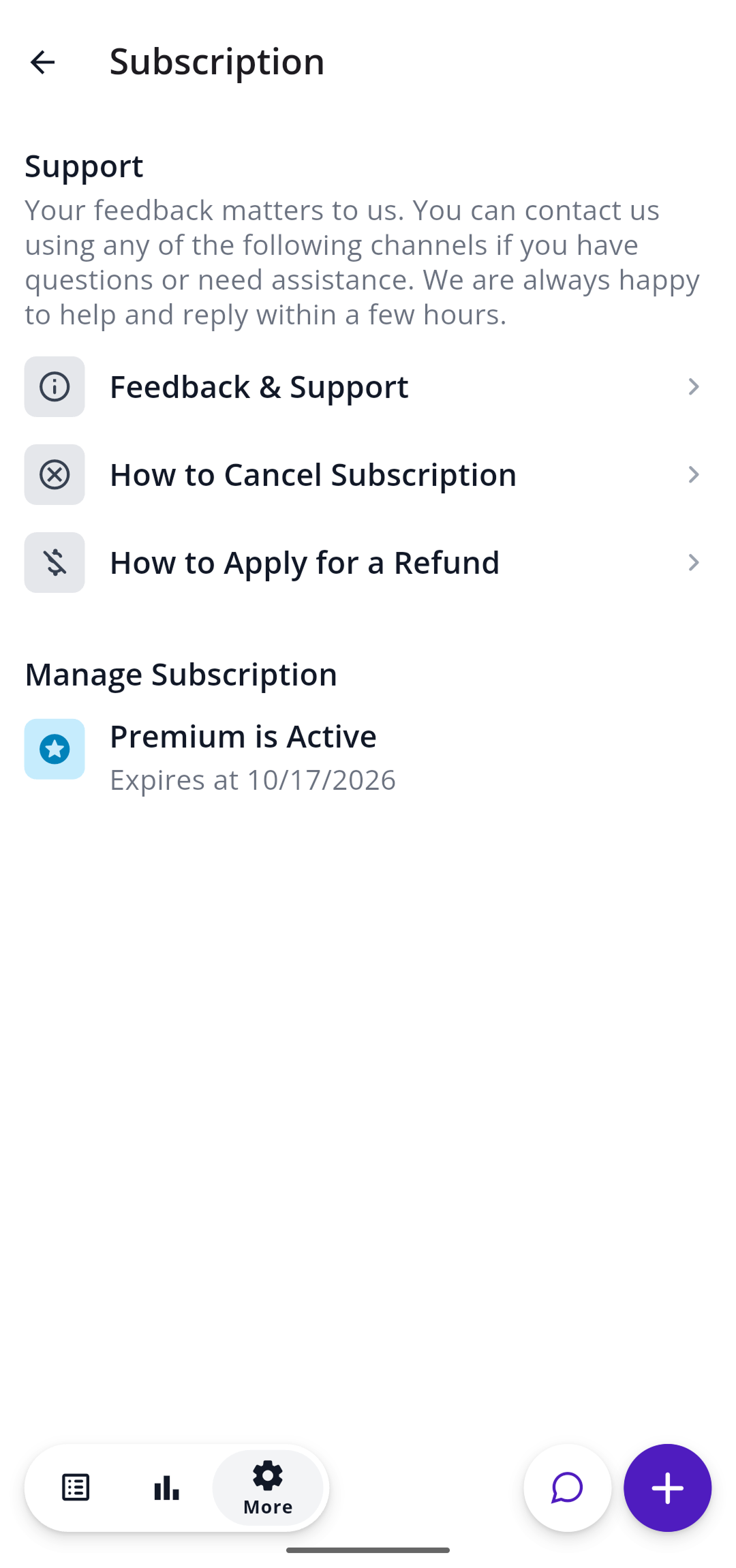
Go to More (the gear icon), then Account, then Subscription. You’ll see Premium is Active, with the date your current period ends underneath.
On a free trial?
Free trials through the App Store or Google Play last 7 days. When the trial ends, your subscription starts and you’re charged automatically, unless you’ve canceled. If you’re only trying SNAQ out, cancel before day 7 using the steps below. Deleting the app doesn’t cancel your subscription.
Cancel your subscription
You cancel with whoever bills you: Apple, Google Play, or Stripe if you signed up on our website. We can’t cancel a subscription for you from our side. Pick the one that matches how you subscribed.
If you subscribed on iPhone
Apple manages your subscription.
- Cancel: on your iPhone, go to apps.apple.com/account/subscriptions and cancel SNAQ.
- Refund: request one from Apple at reportaproblem.apple.com. Apple decides on refunds, so we can’t issue one ourselves.
If you subscribed on Android
Google Play manages your subscription.
- Cancel: on your phone, open your Google Play subscriptions and cancel SNAQ.
- Refund: follow Google Play’s refund steps. Google decides on refunds, so we can’t issue one ourselves.
If you subscribed on our website
Stripe handles billing for web subscriptions.
- Cancel: open the Stripe billing portal and sign in with the email address on your SNAQ account.
- Refund: email support@snaq.io from the email address you signed up with and we’ll take care of it.
Switching phones
Log in with the same SNAQ account. If Premium doesn’t show up, go to Subscription and restore your purchase. If it’s still missing, email support@snaq.io from the address you use for SNAQ.
Steps last checked against the app in September 2026.
Still stuck?
Email us at support@snaq.io and tell us what you've tried so far. We usually reply within one business day.