
SNAQ reads activity and weight from Apple Health on iPhone and Health Connect on Android. If your Apple Watch, Garmin or fitness app saves its data there, SNAQ can use it. There isn’t a separate SNAQ app for Apple Watch.
Steps, workouts and heart rate
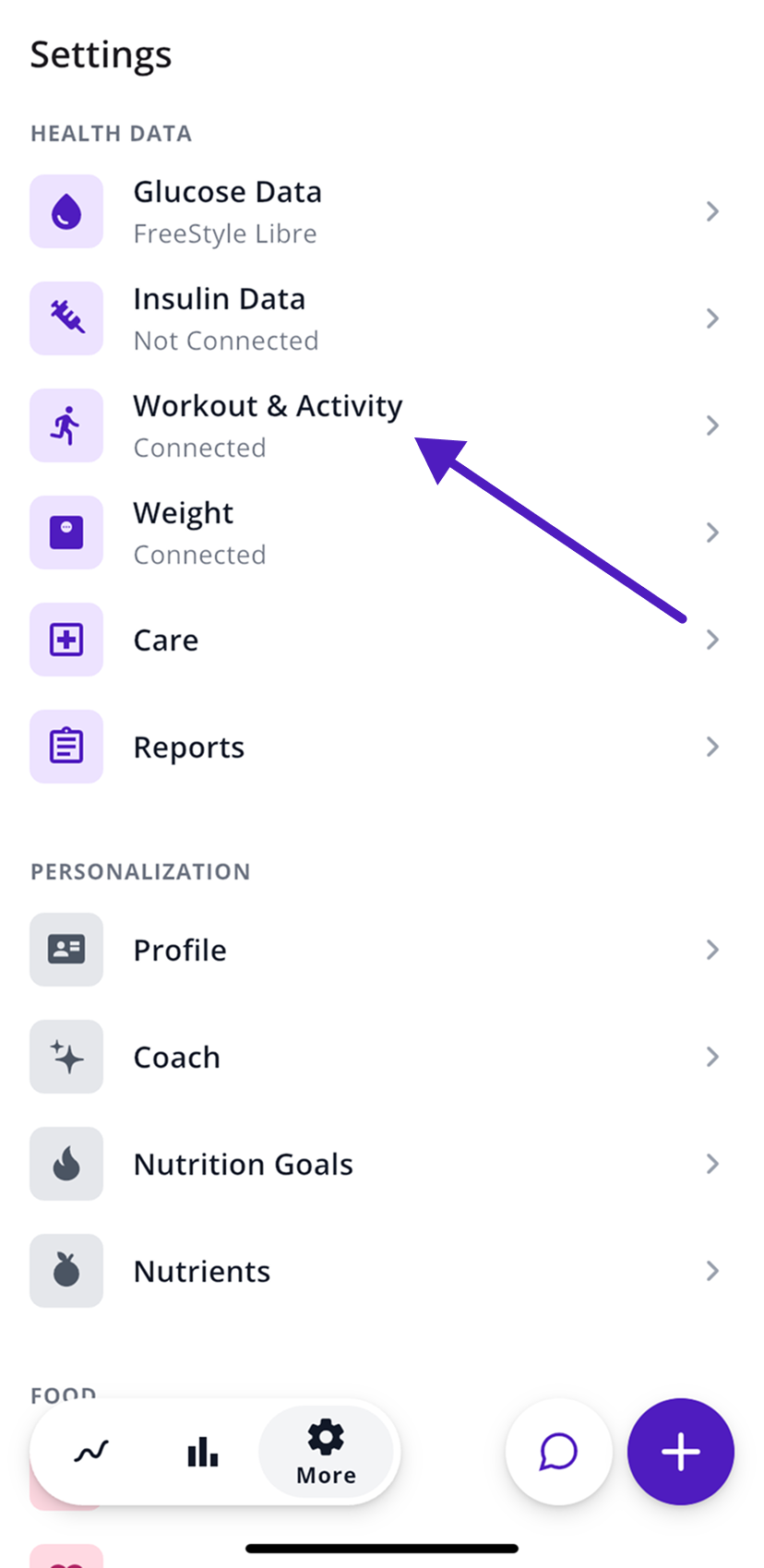
- In SNAQ, open the More tab (the gear icon).
- Under Health Data, tap Workout & Activity.
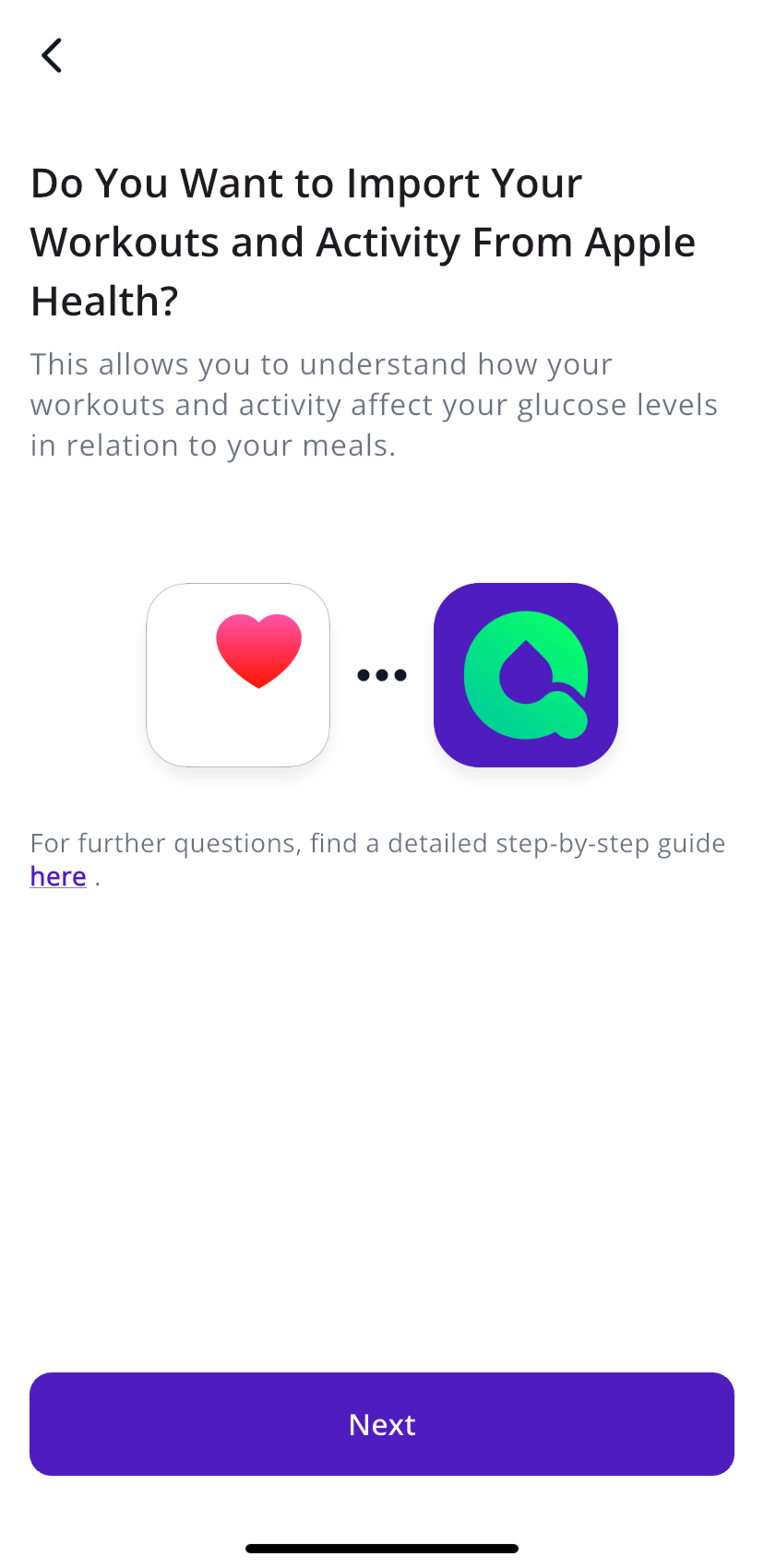
- Tap Next, then Allow.
- When Apple Health or Health Connect asks, allow workouts, heart rate and steps.
- Confirm your birthdate if SNAQ asks for it.
Your steps then show up as a line on the glucose graph in Today, and in the Activity card on Insights.
Weight and body fat
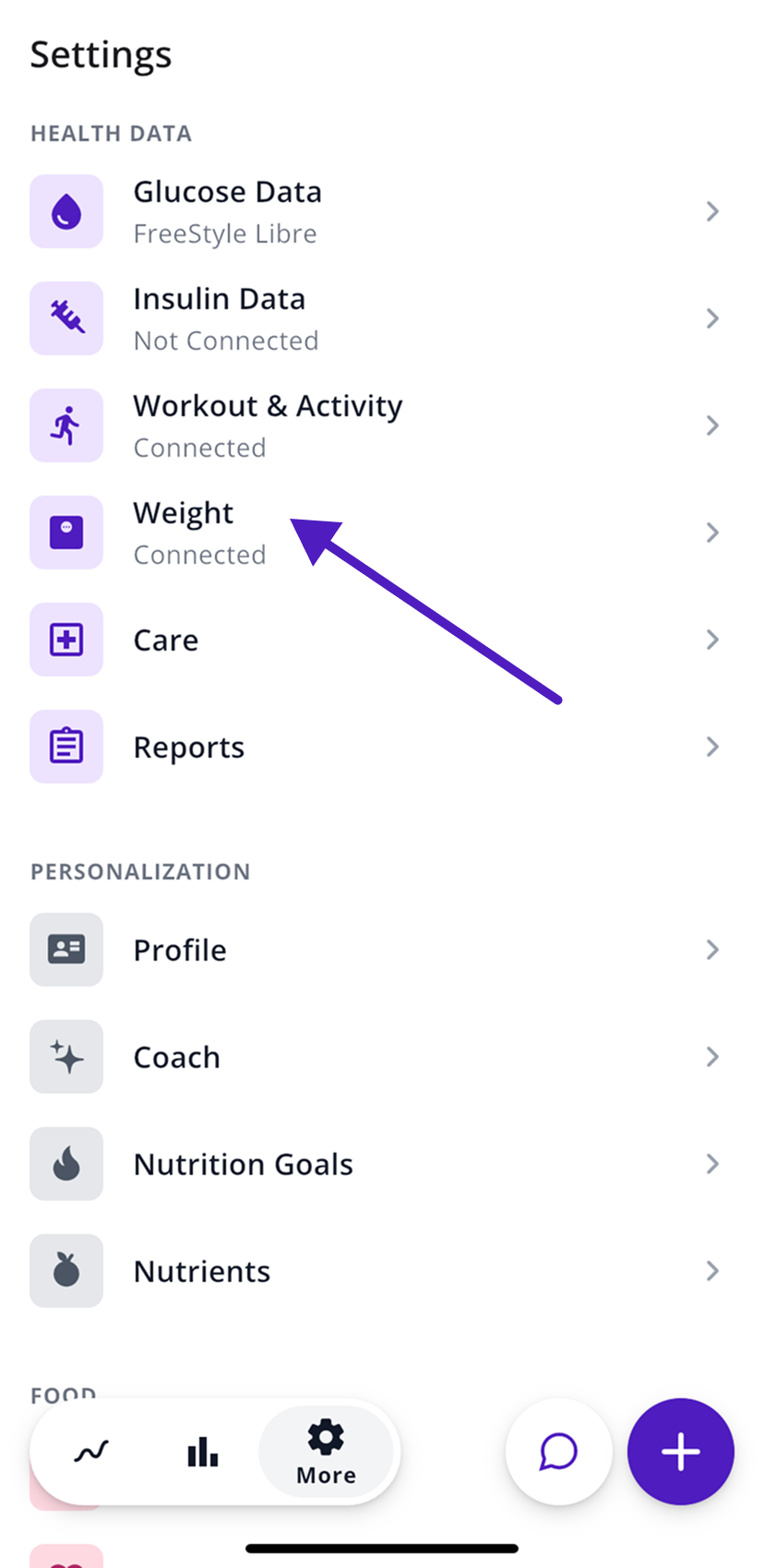
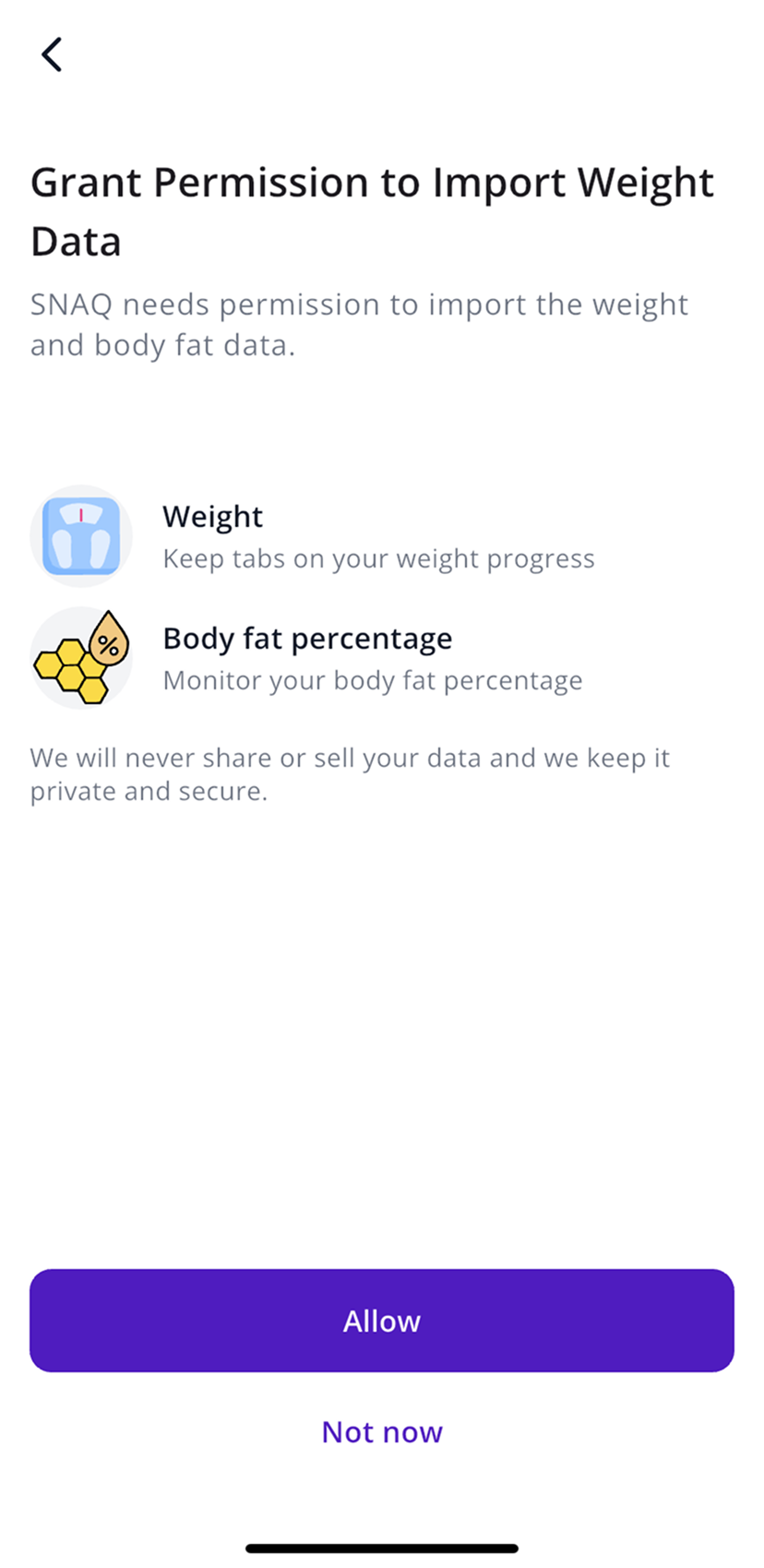
- Go to More, then Health Data, then Weight.
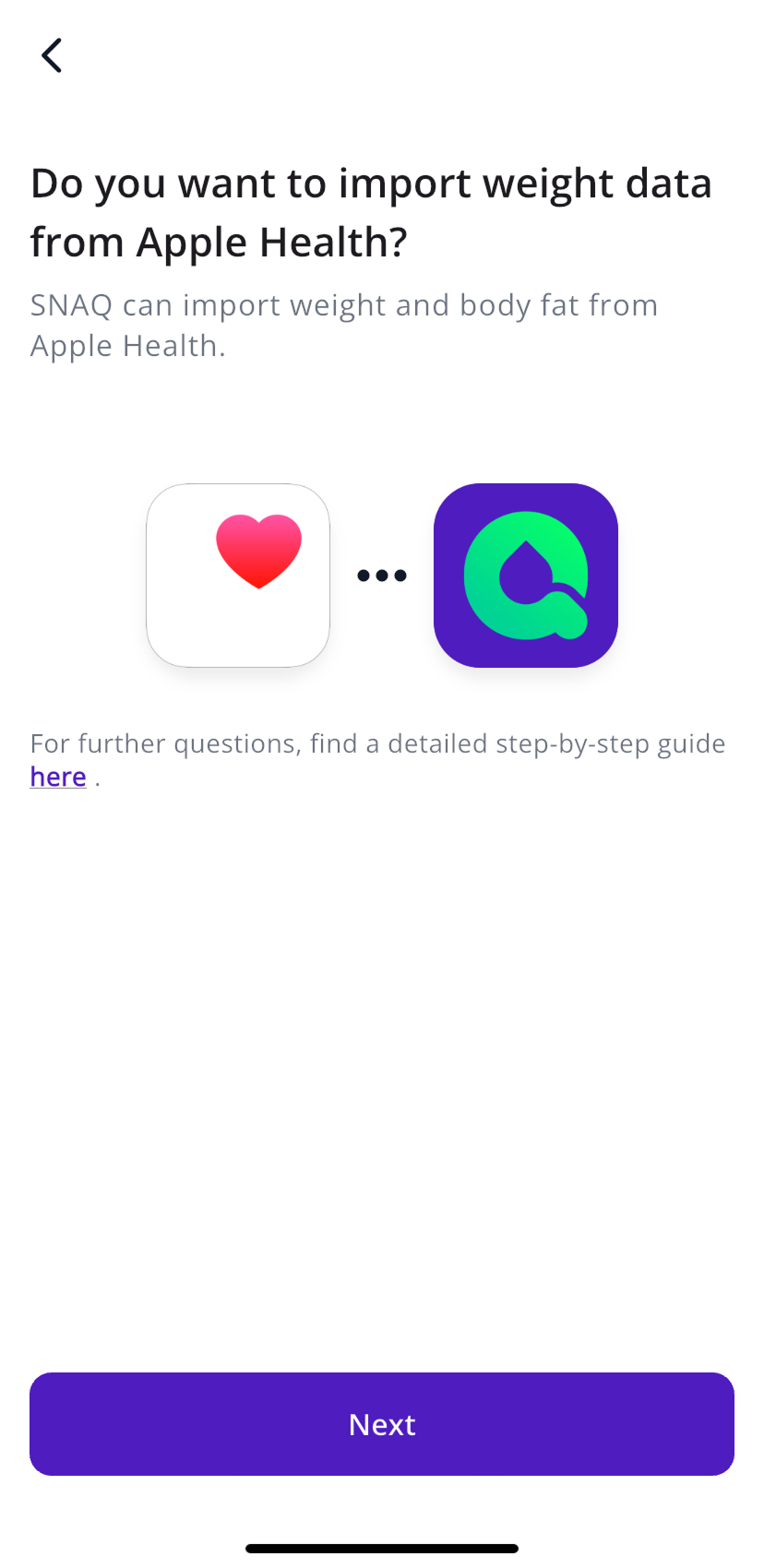
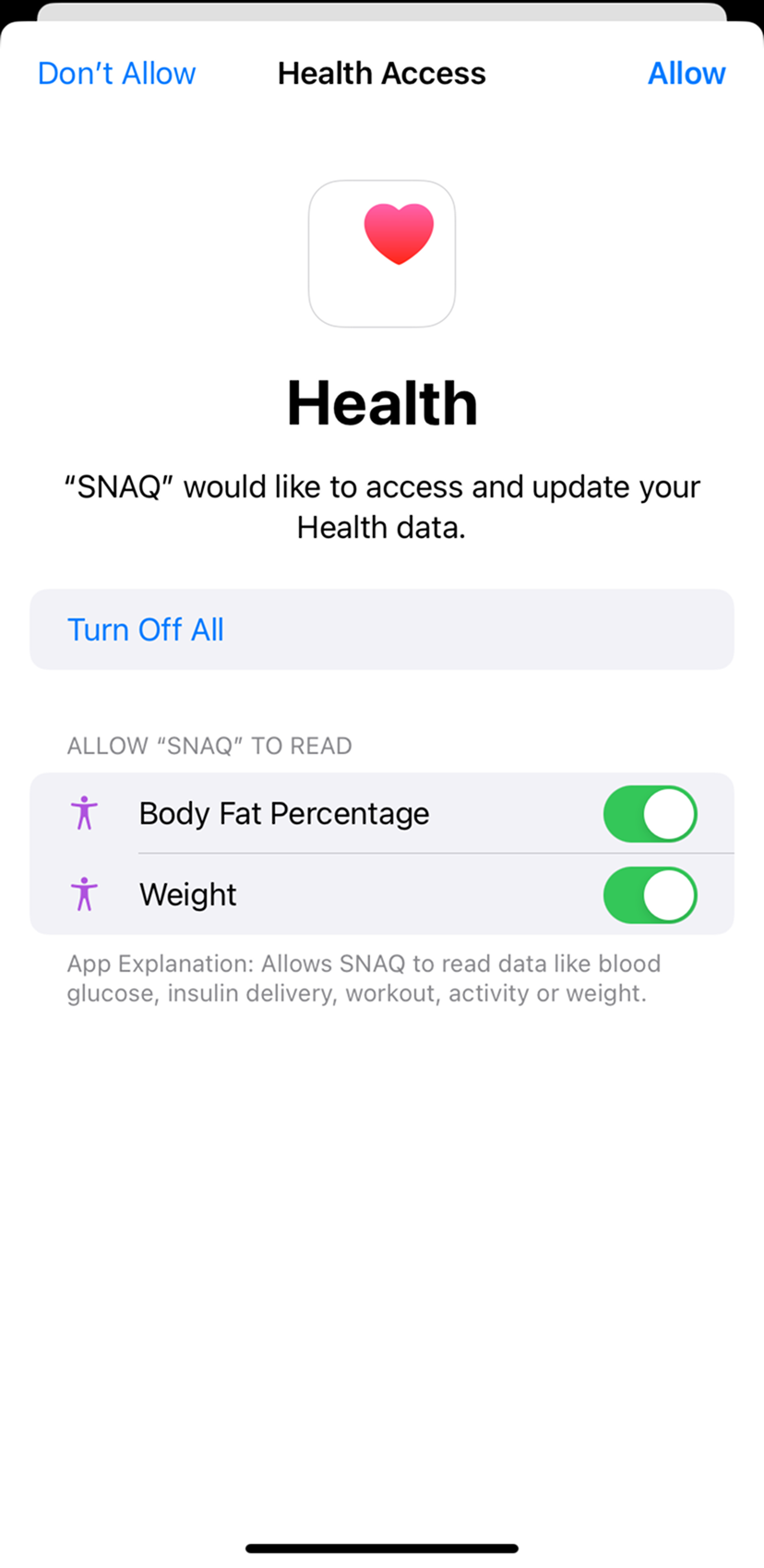
- Tap Next, then Allow.
- When Apple Health or Health Connect asks, turn on Weight and Body Fat Percentage and allow access.
You can also add your weight yourself with +, then Weight.
Log a workout by hand
Tap +, then Workout.
Steps last checked against the app in September 2026.
Still stuck?
Email us at support@snaq.io and tell us what you've tried so far. We usually reply within one business day.