
Find your way around
Along the bottom of the screen there are three tabs on the left and two round buttons on the right. The tabs only show their names when you’re on them, so here’s what each icon does:
- Today (graph icon) is your day at a glance: the glucose graph, everything you logged, and how you’re doing against your nutrient targets. Tap a day in the week strip to look back. If you turn the glucose graph off, this tab is called Logbook instead.
- Insights (bar chart icon) shows trends in what you eat, your glucose, body composition and activity. Switch the time period with 1D, 1W, 1M, 3M or 6M at the top.
- More (gear icon) has your settings and device connections.
- Coach (speech bubble) opens the AI coach, where you can ask questions about your meals and your data.
- + is how you add a Workout, Note, Weight or Meal. If you use a meter you’ll also see Glucose, and US accounts see Insulin. The barcode and camera icons on the Meal row take you straight to scanning or snapping a photo.
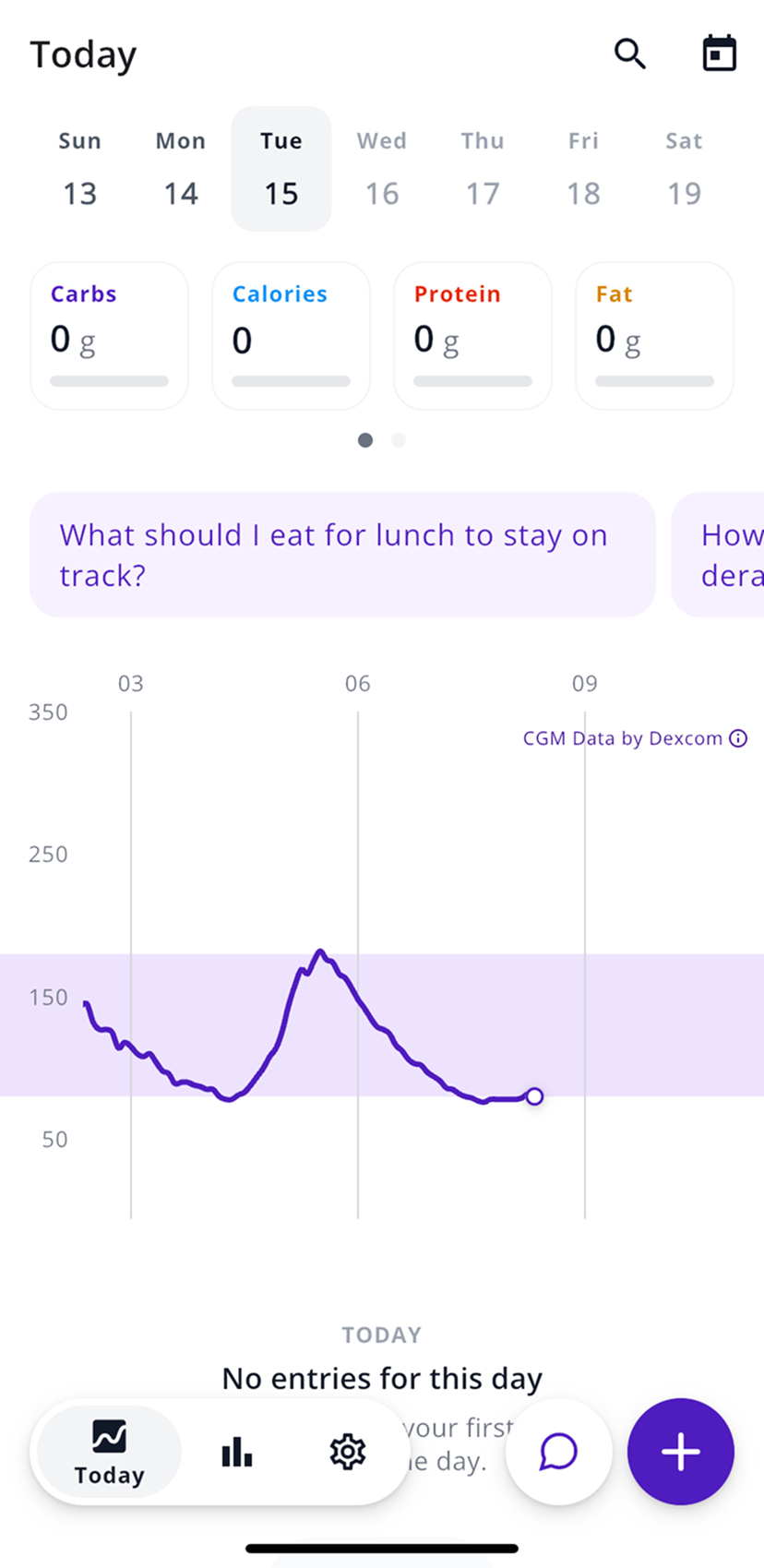
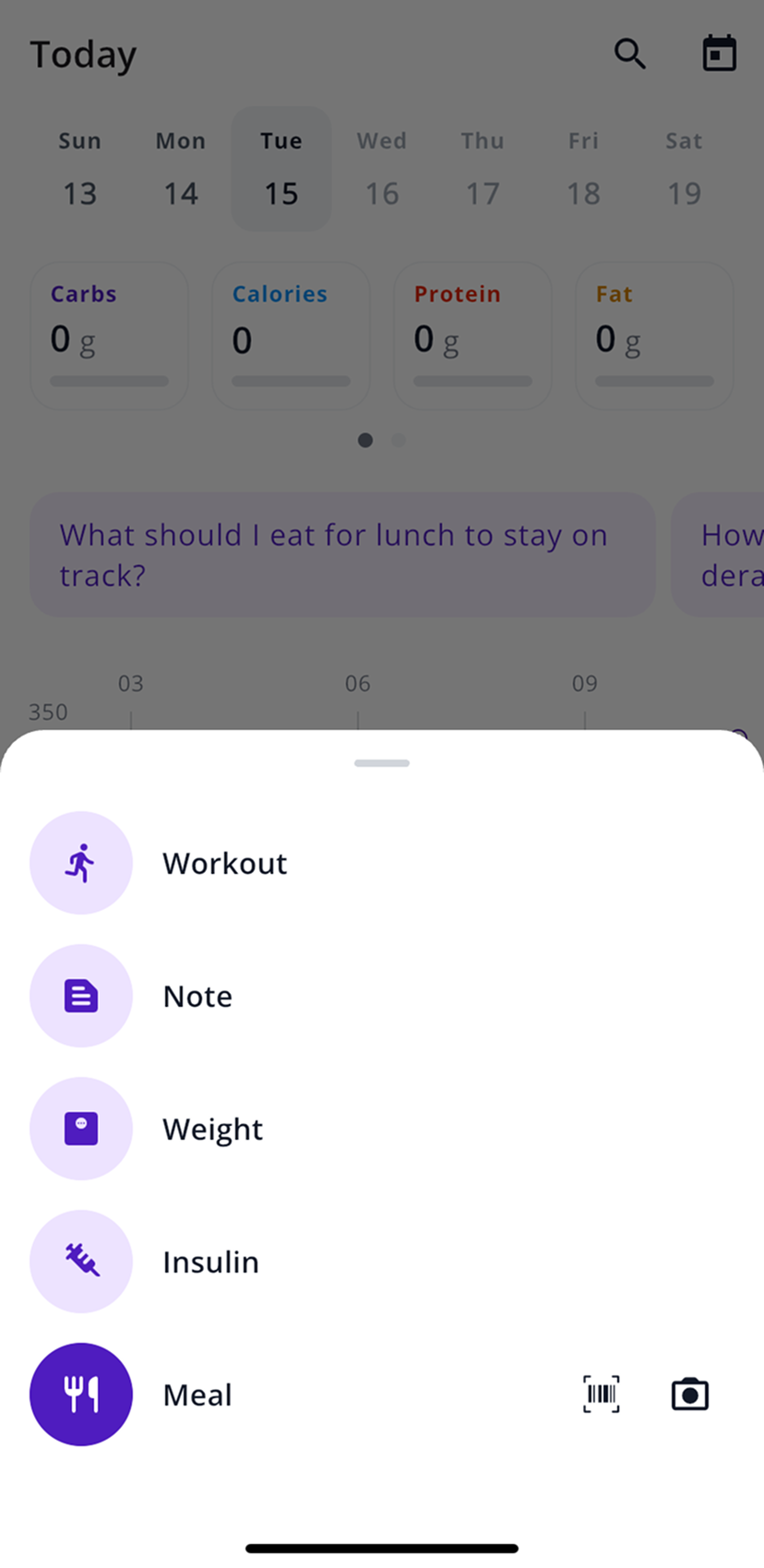
Your first 3 meals are free
After 3 meals, you’ll need a subscription to keep logging. If you buy it through the App Store or Google Play, the first 7 days are free.
The trial turns into a paid subscription on its own. If you only want to try SNAQ, cancel before the 7 days are up, through the App Store or Google Play. Deleting the app doesn’t cancel it. Here’s how to cancel.
What to set up first
- Connect your glucose data. Go to More, then Health Data, then Glucose Data, and pick your device. Each device has its own guide in Connect your glucose data.
- Check your units and target range. Under More, then General, then Units, choose mg/dL or mmol/L. Then enter the range your care team gave you in Target Glucose Range From and To.
- Log a meal. Tap +, then the camera icon on the Meal row, and take the photo from above. Log a meal goes into more detail.
- Turn on post-meal notifications. Go to More, then General, then Notifications, and turn on Post-Meal Time-In-Range. SNAQ will let you know when a meal’s glucose results are in.
- Set nutrition goals, if you want them. Under More, then Personalization, then Nutrition Goals, tap Auto Generate Goals for daily calorie and macro targets based on your height, weight, sex, age and activity level. You can also type in your own numbers.
See how a meal affected your glucose
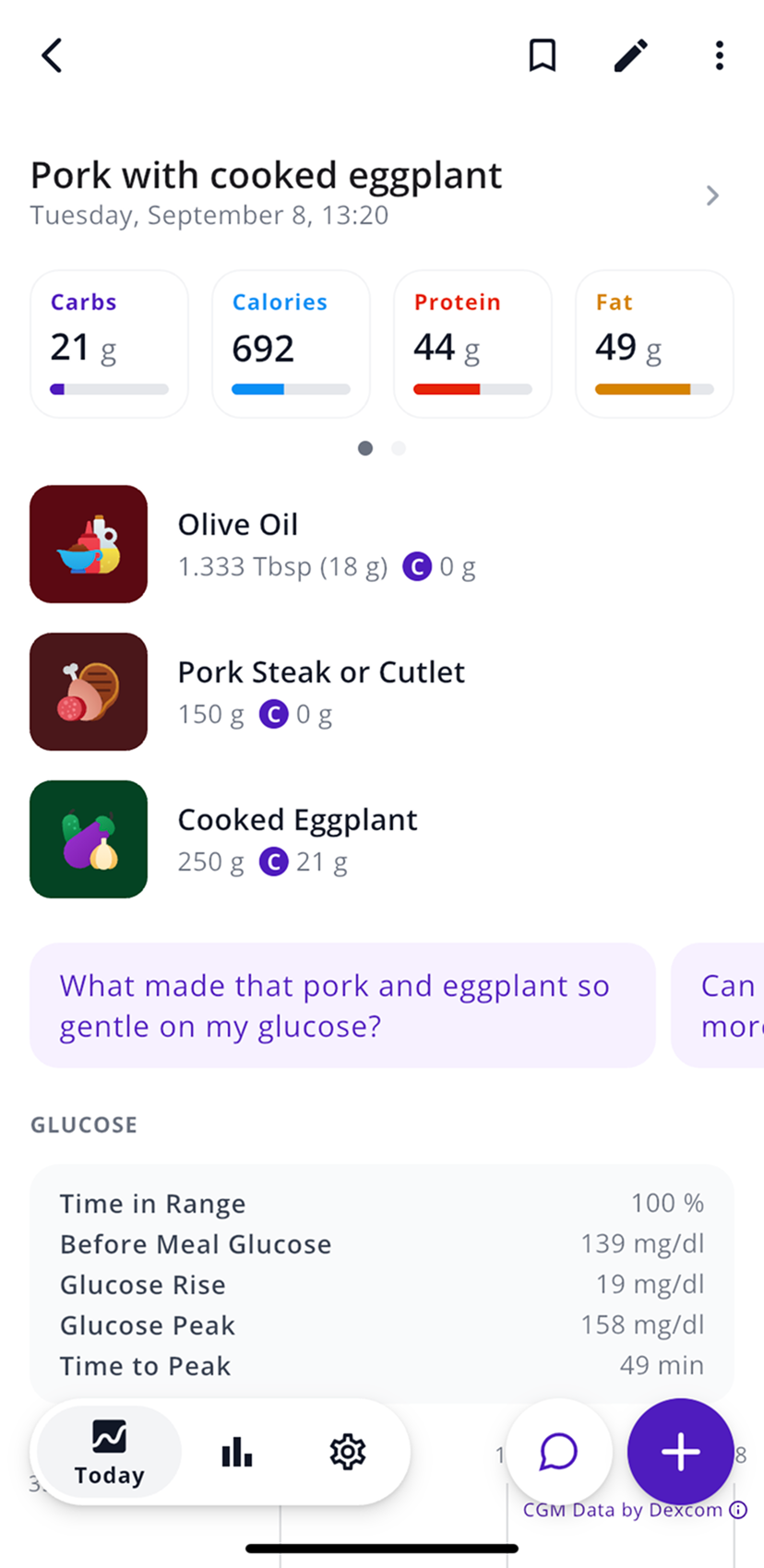
Once your glucose data is connected, tap any meal on the Today tab. The carbs, calories, protein and fat are at the top, with the foods listed underneath.
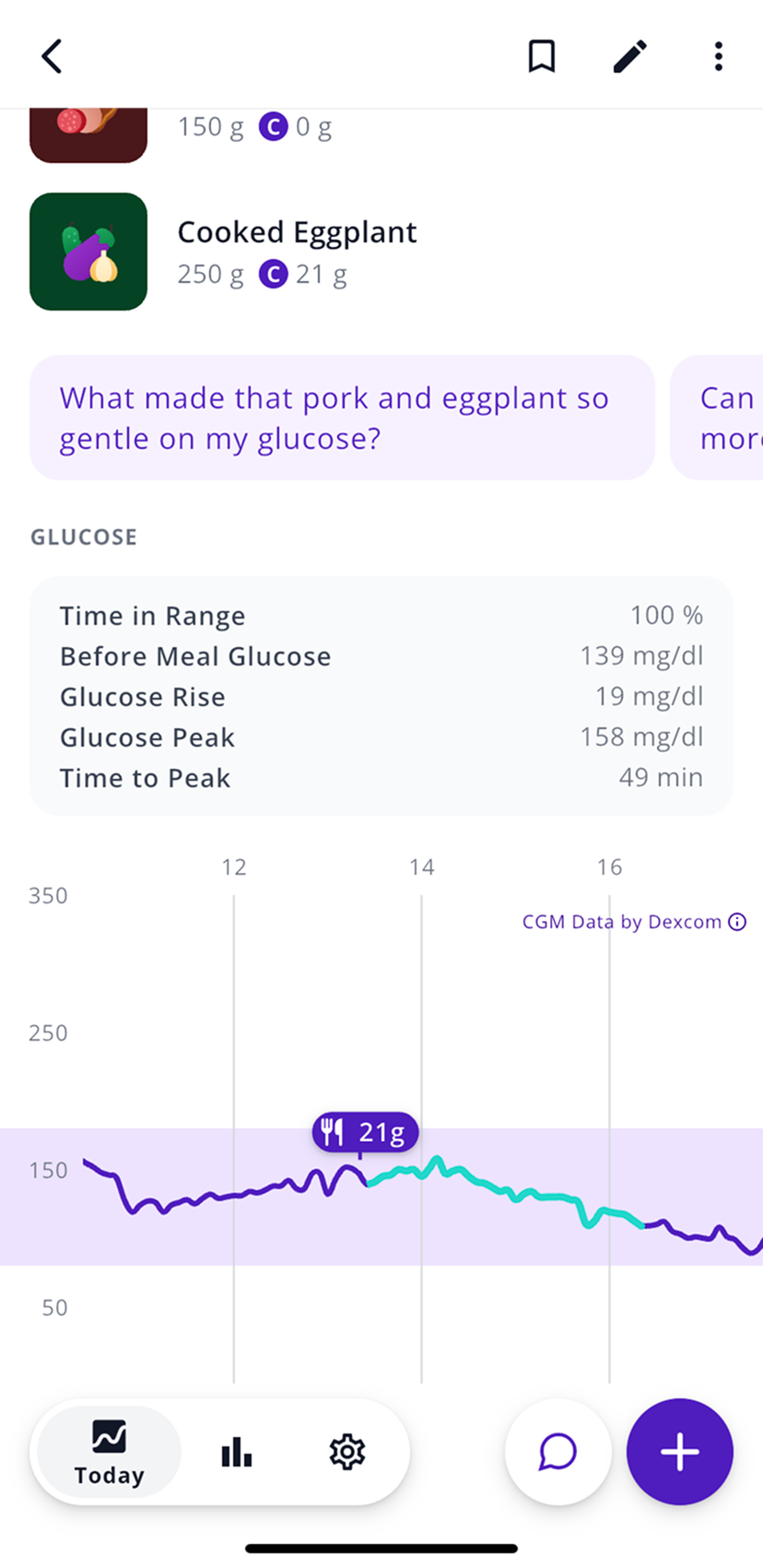
Scroll down to Glucose for what happened after you ate: Time in Range, Before Meal Glucose, Glucose Rise, Glucose Peak and Time to Peak. Your glucose curve sits below those numbers. The highlighted part of the line covers the 3 hours after the meal, which is where the numbers come from, so they aren’t final until those 3 hours are up. If your CGM sends readings with a delay, it takes a little longer.
Logging insulin US only
With a US account, you can log insulin with +, then Insulin, or import doses from a connected device. Insulin data in SNAQ is only for looking back at what happened. Don’t use it to make treatment decisions. SNAQ doesn’t calculate or recommend doses.
Language
SNAQ uses your phone’s language, English or German. There’s no separate language setting in the app.
Steps last checked against the app in September 2026.
Still stuck?
Email us at support@snaq.io and tell us what you've tried so far. We usually reply within one business day.