
How you connect depends on your sensor and where you live.
| Your sensor | Where you live | How to connect |
|---|---|---|
| Dexcom G6, G7 or ONE+ | United States, Austria, Germany, Switzerland | With your Dexcom account |
| Dexcom Stelo | Any country | Through Apple Health or Health Connect |
| Any Dexcom sensor | All other countries | Through Apple Health or Health Connect |
Connect with your Dexcom account
Have your Dexcom login handy. It’s the same one you use in the Dexcom app.
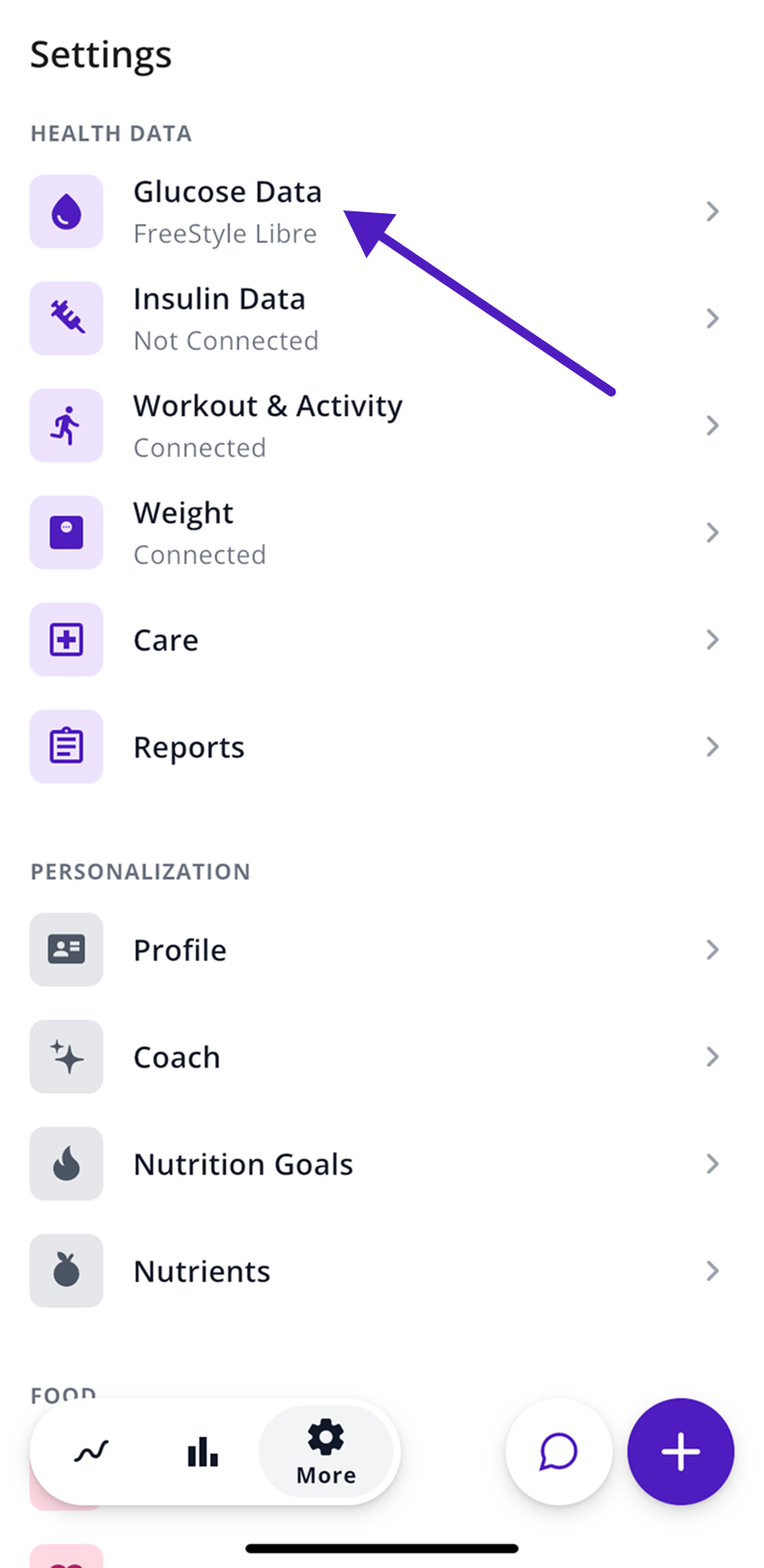
- In SNAQ, open the More tab (the gear icon).
- Under Health Data, tap Glucose Data.
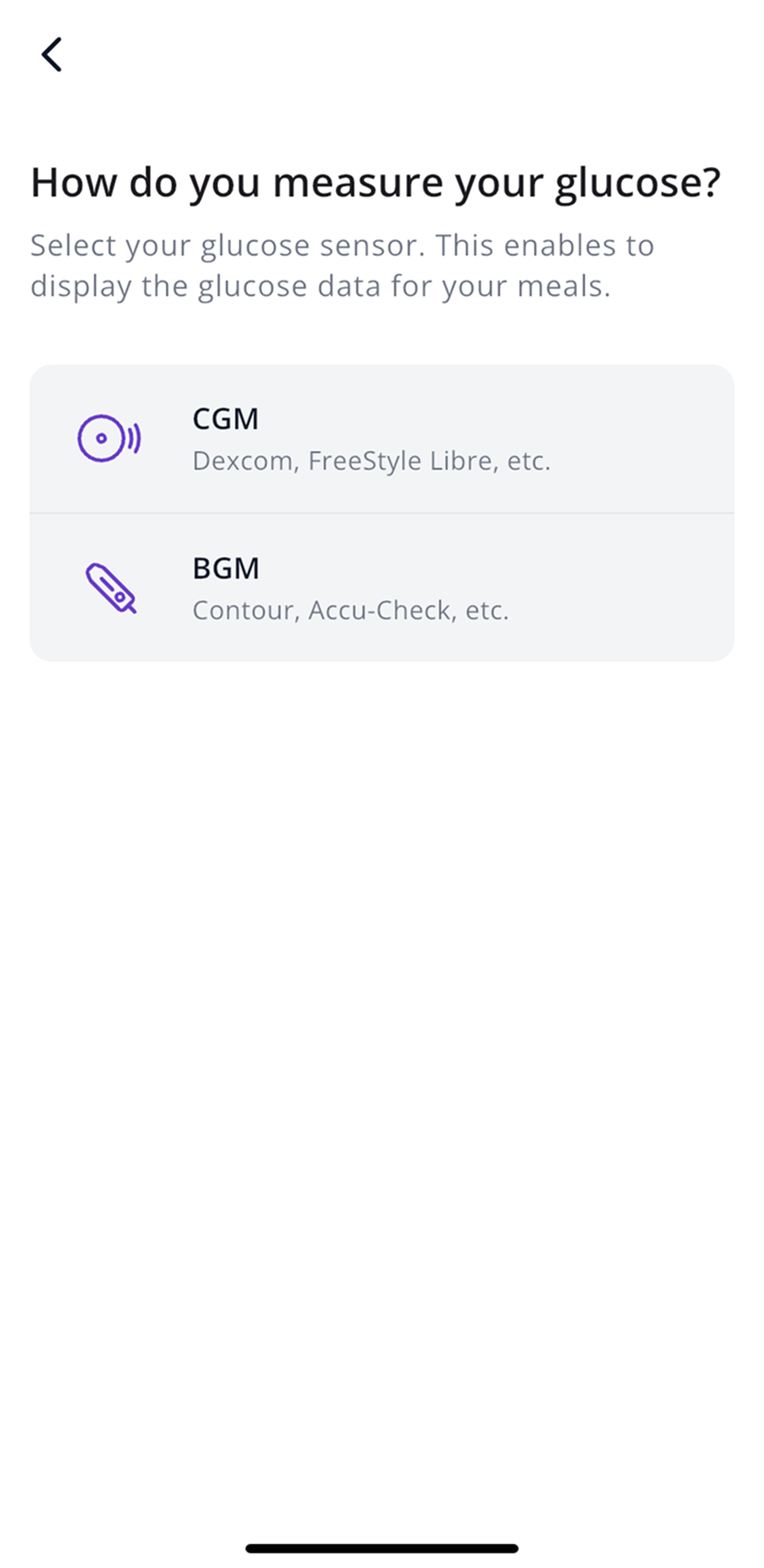
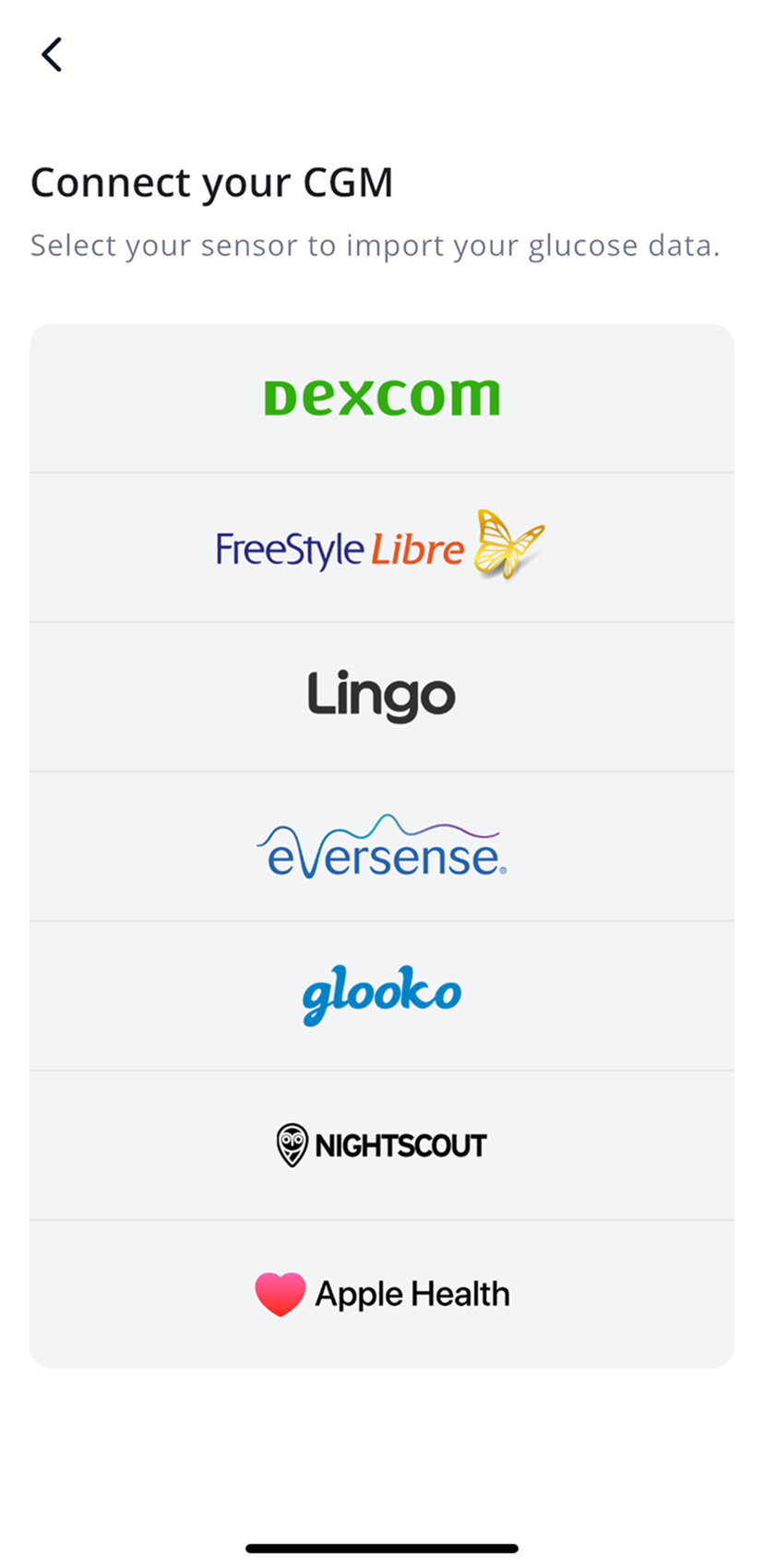
- Tap CGM, then Dexcom, and choose Dexcom G6, G7 or ONE +.
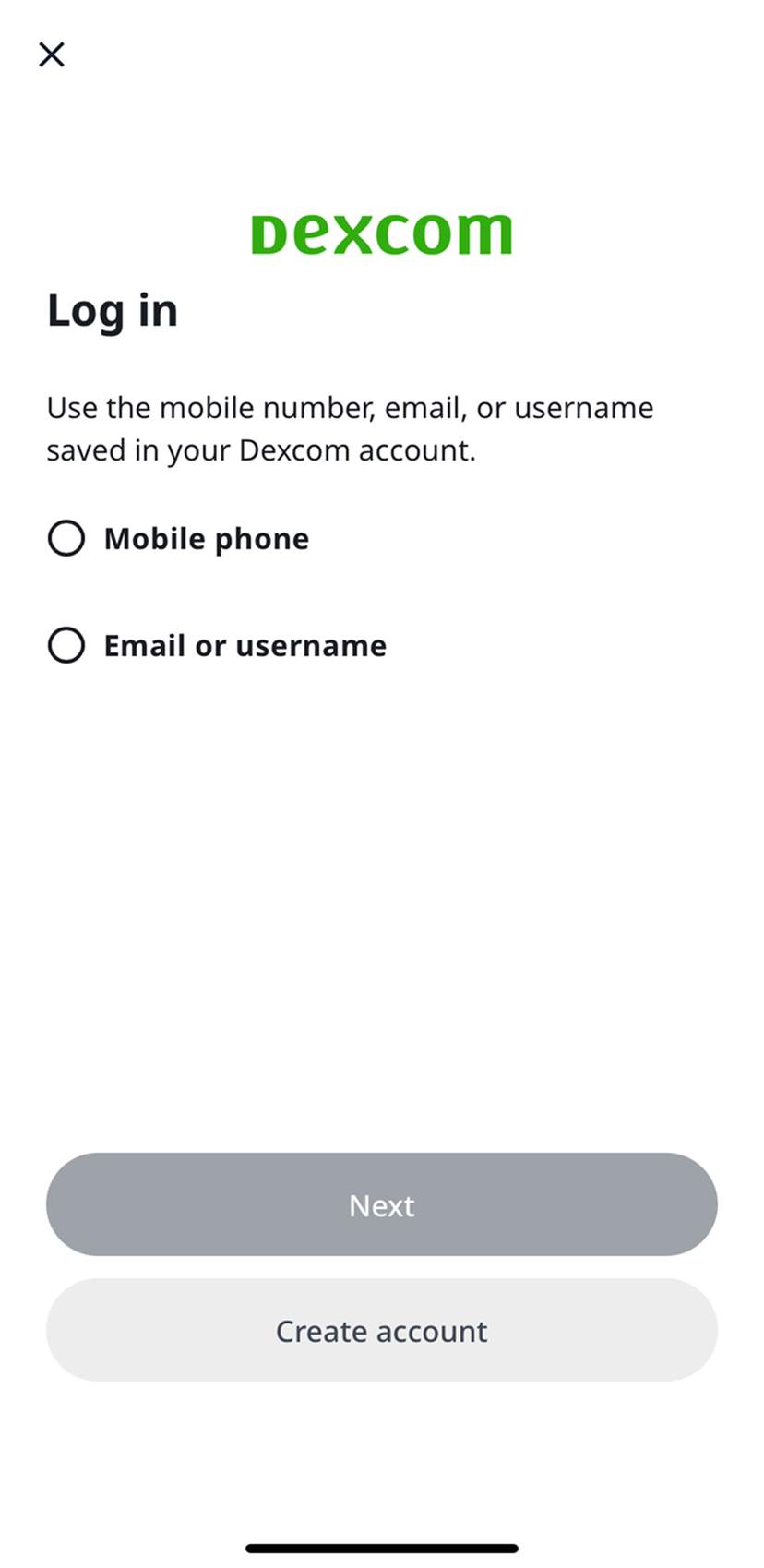
- A Dexcom login page opens. Choose Mobile phone or Email or username and sign in.
- Allow SNAQ to read your Dexcom data.
Back in SNAQ, Glucose Data now shows Dexcom.
Connect through Apple Health or Health Connect
Use this for a Stelo, or for any Dexcom sensor outside the US, Austria, Germany and Switzerland. The Dexcom app sends your readings to your phone’s health app, and SNAQ reads them from there.
First, turn on sharing in the Dexcom app.
- Open the menu in the Dexcom app.
- Tap Settings, then Health.
- Turn on sharing, including Blood Glucose.
Menus vary a bit between Dexcom apps. If yours looks different, Dexcom’s help pages have the current steps.
Then connect SNAQ.
- On iPhone, follow Connect Apple Health.
- On Android, follow Connect Health Connect.
When will my data show up?
Dexcom sends readings to other apps with a delay of up to 3 hours. Your most recent readings, and the curve for a meal you just ate, can take that long to appear in SNAQ. The Dexcom app itself still shows your live numbers.
Insulin from Dexcom US only
US accounts can also import insulin doses from Dexcom under More, then Health Data, then Insulin Data. Insulin data in SNAQ is only for looking back at what happened. Don’t use it to make treatment decisions.
Steps last checked against the app in September 2026.
Still stuck?
Email us at support@snaq.io and tell us what you've tried so far. We usually reply within one business day.