
If your CGM or meter app saves readings to Apple Health, SNAQ can read them on iPhone. That takes two permissions: one that lets your device’s app write to Apple Health, and one that lets SNAQ read from it.
Step 1: let your device’s app write to Apple Health
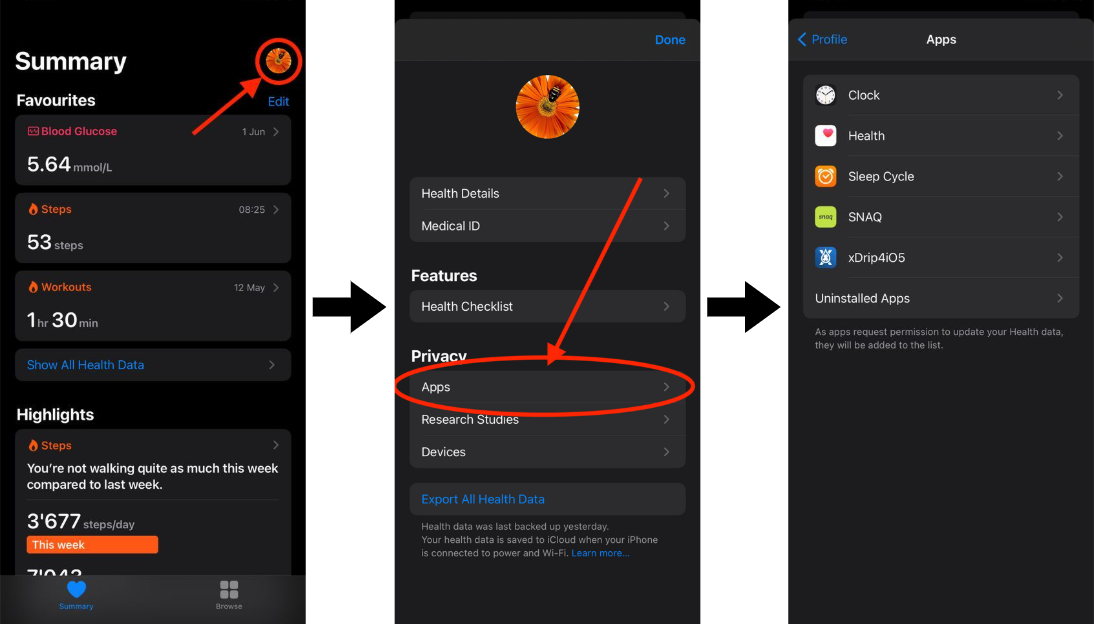
Most CGM and meter apps ask about this when you set them up, or have an Apple Health option in their settings. To check it in Apple’s Health app:
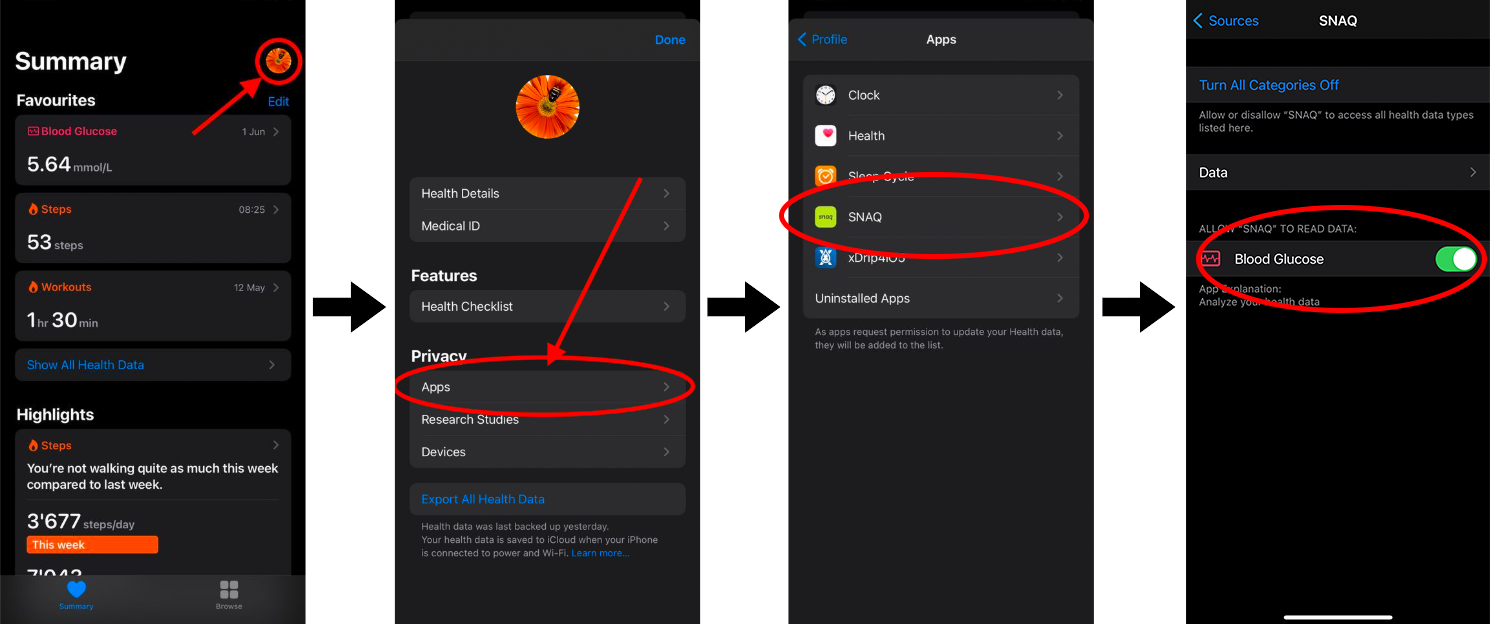
- Open the Health app.
- Tap your profile picture at the top right.
- Tap Apps, then your device’s app, for example Dexcom.
- Make sure Blood Glucose is turned on for the data it can write.
Step 2: let SNAQ read from Apple Health
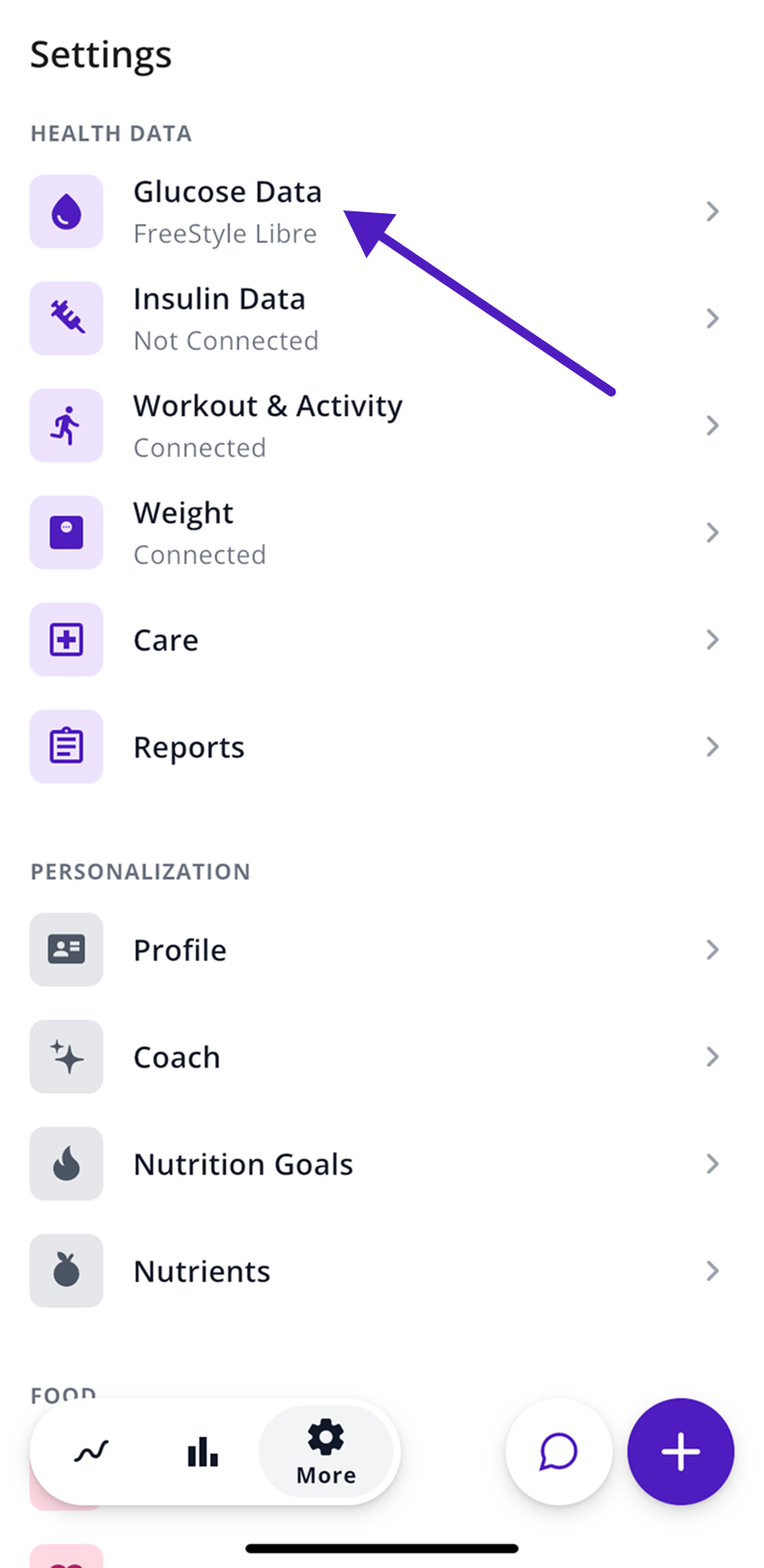
- In SNAQ, open the More tab (the gear icon).
- Under Health Data, tap Glucose Data.
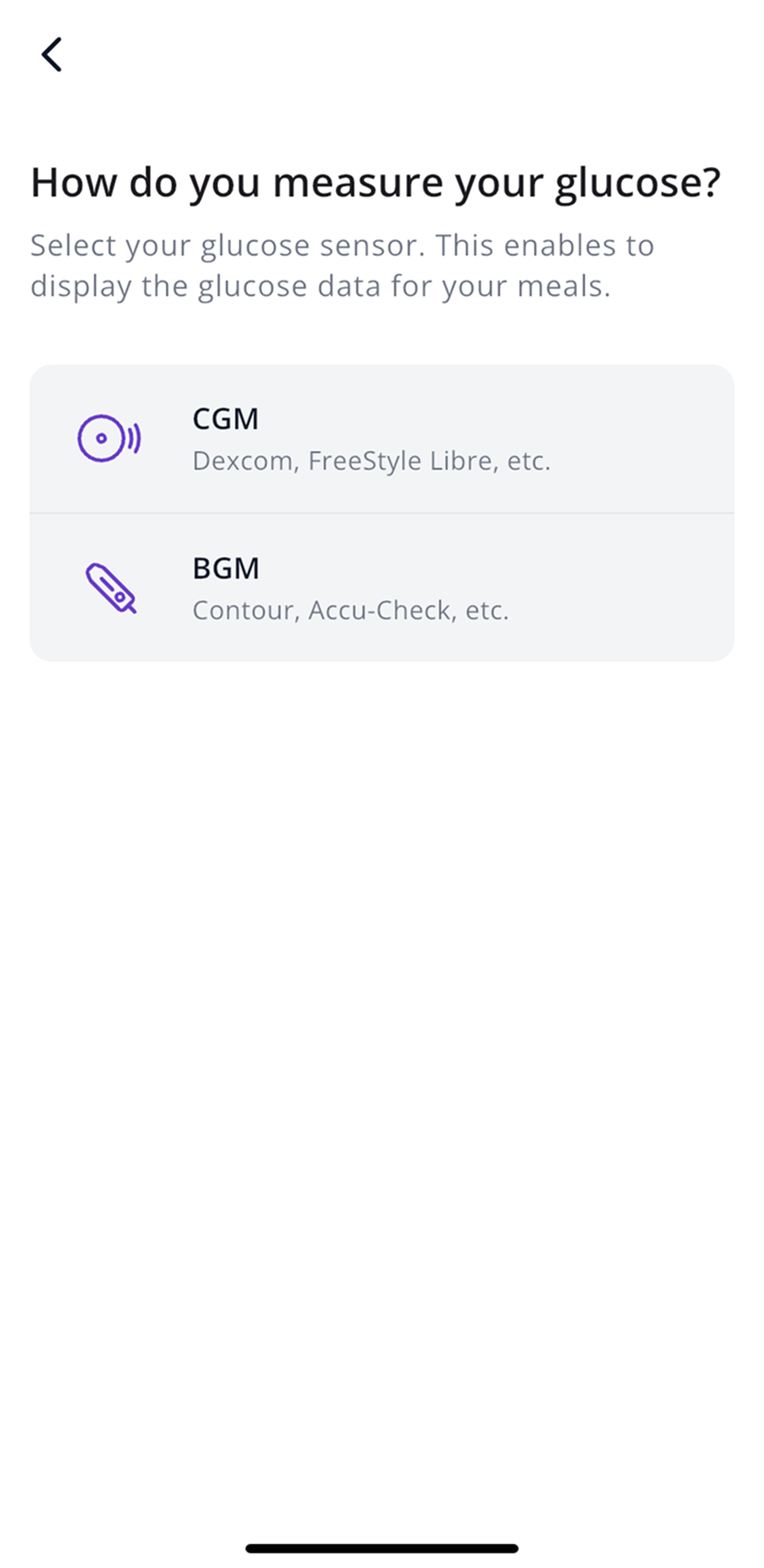
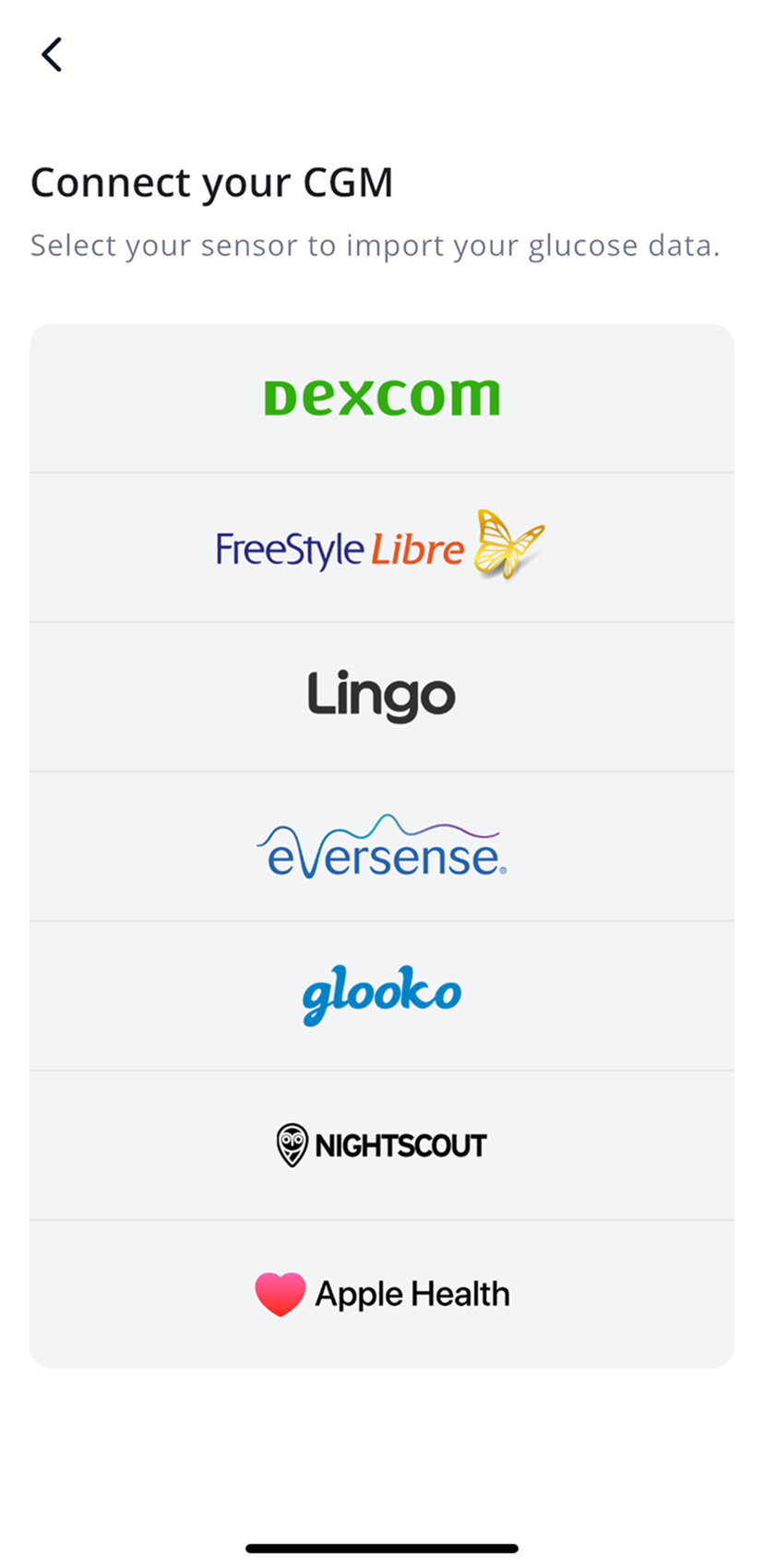
- Choose CGM or BGM, then Apple Health in the brand list.
- Tap Next, then Allow.
- When Apple Health asks, turn on Blood Glucose.
Check or change SNAQ’s access
If you tapped Don’t Allow by mistake, open the Health app, tap your profile picture, then Apps, then SNAQ, and turn on Blood Glucose.
Save meals to Apple Health
After you save your first meal, SNAQ asks once whether it can add your meals to Apple Health. If you said no and want it on now, change it in the Health app under Apps, then SNAQ. There’s no switch for it inside SNAQ.
Insulin US only
US accounts can also import insulin doses from Apple Health under More, then Health Data, then Insulin Data. Insulin data in SNAQ is only for looking back at what happened. Don’t use it to make treatment decisions.
Steps last checked against the app in September 2026.
Still stuck?
Email us at support@snaq.io and tell us what you've tried so far. We usually reply within one business day.