
You can email a PDF report before an appointment, or connect with your clinic so they can check in on your data between visits.
Send a PDF report
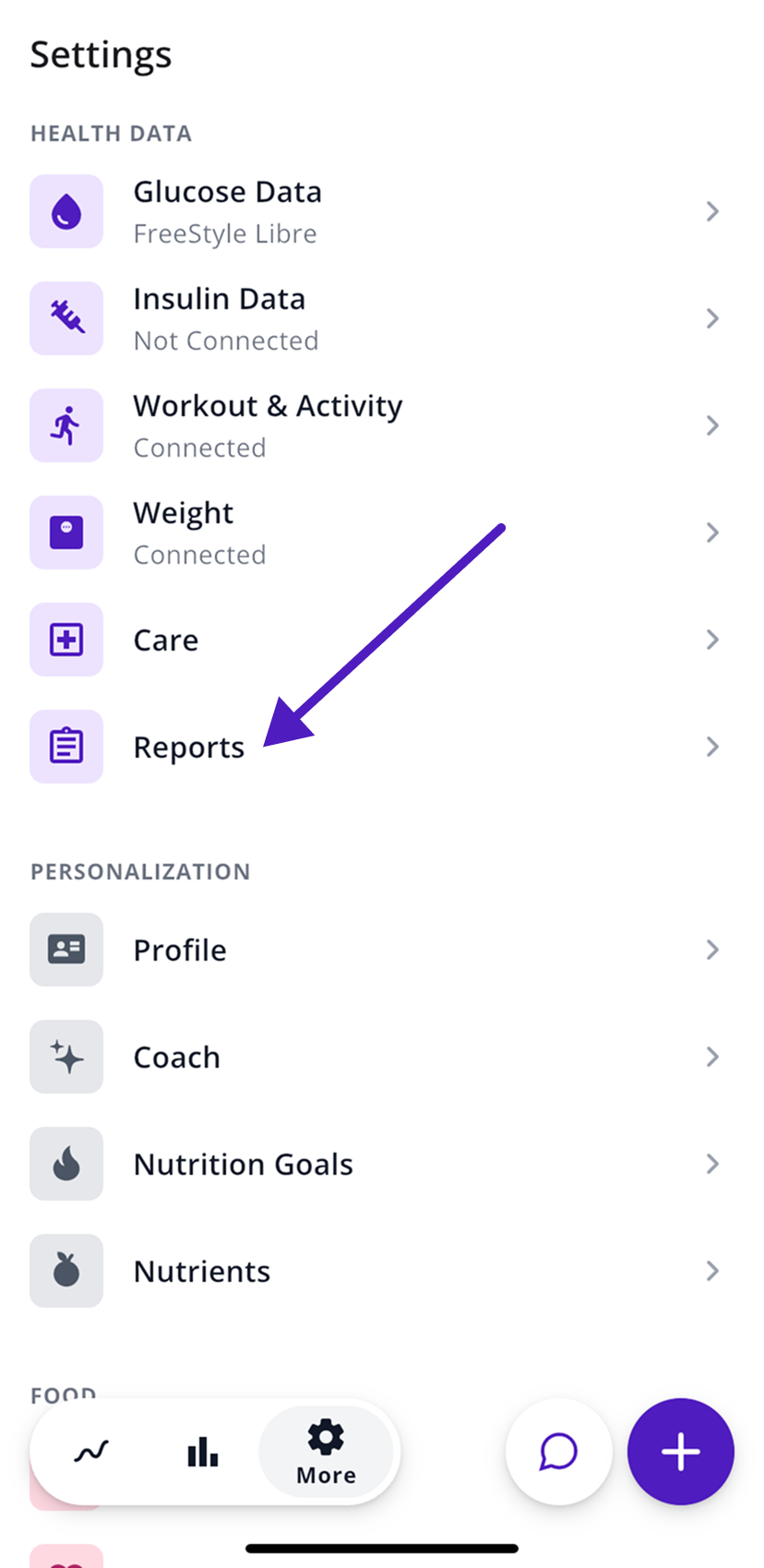
- Open the More tab (the gear icon).
- Under Health Data, tap Reports.
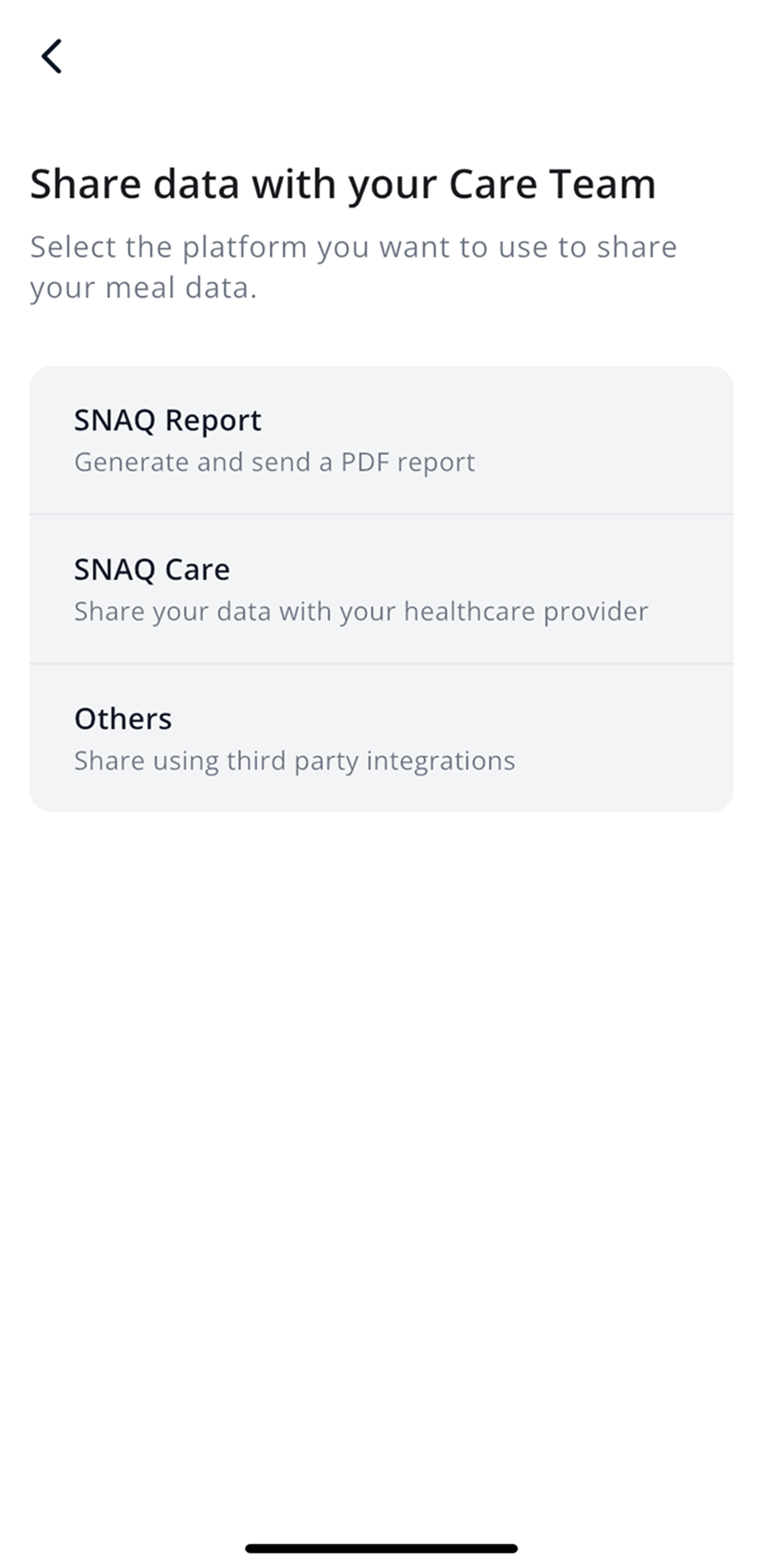
- If you see a list of options, tap SNAQ Report.
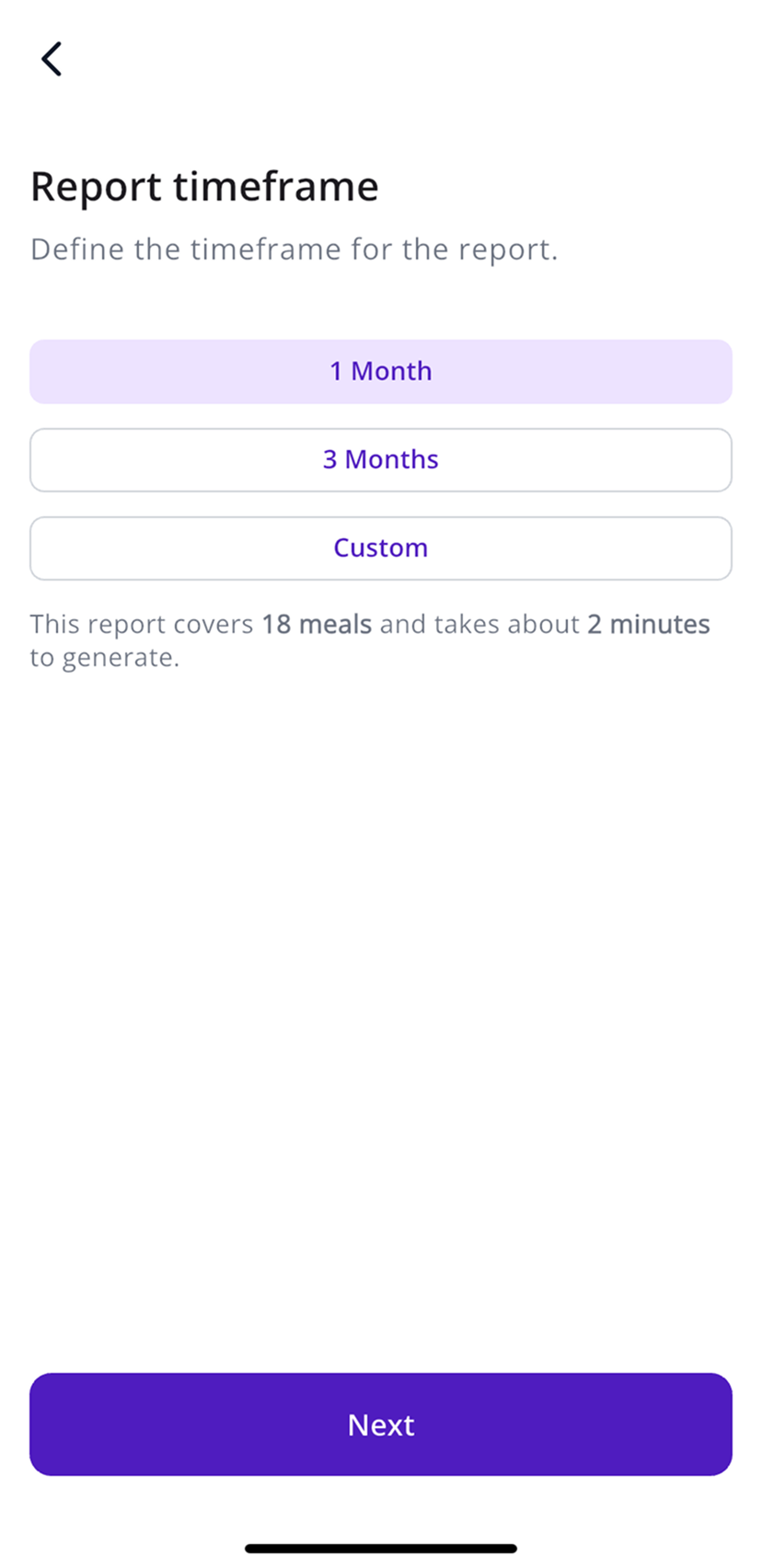
- Choose 1 Month, 3 Months or Custom. SNAQ tells you how many meals the report covers and about how long it’ll take to put together.
- Tap Next, enter the email address it should go to (yours or your care team’s), and tap Send.
The report arrives by email and isn’t saved on your phone. If it’s not in your inbox after a few minutes, check your spam folder.
Connect with your clinic US and selected clinics
With SNAQ Care, your doctor, dietitian or diabetes educator can see your meals and glucose in a web portal built for care teams.
Invite your care team
- Open the More tab (the gear icon).
- Under Health Data, tap Care.
- Tap Invite.
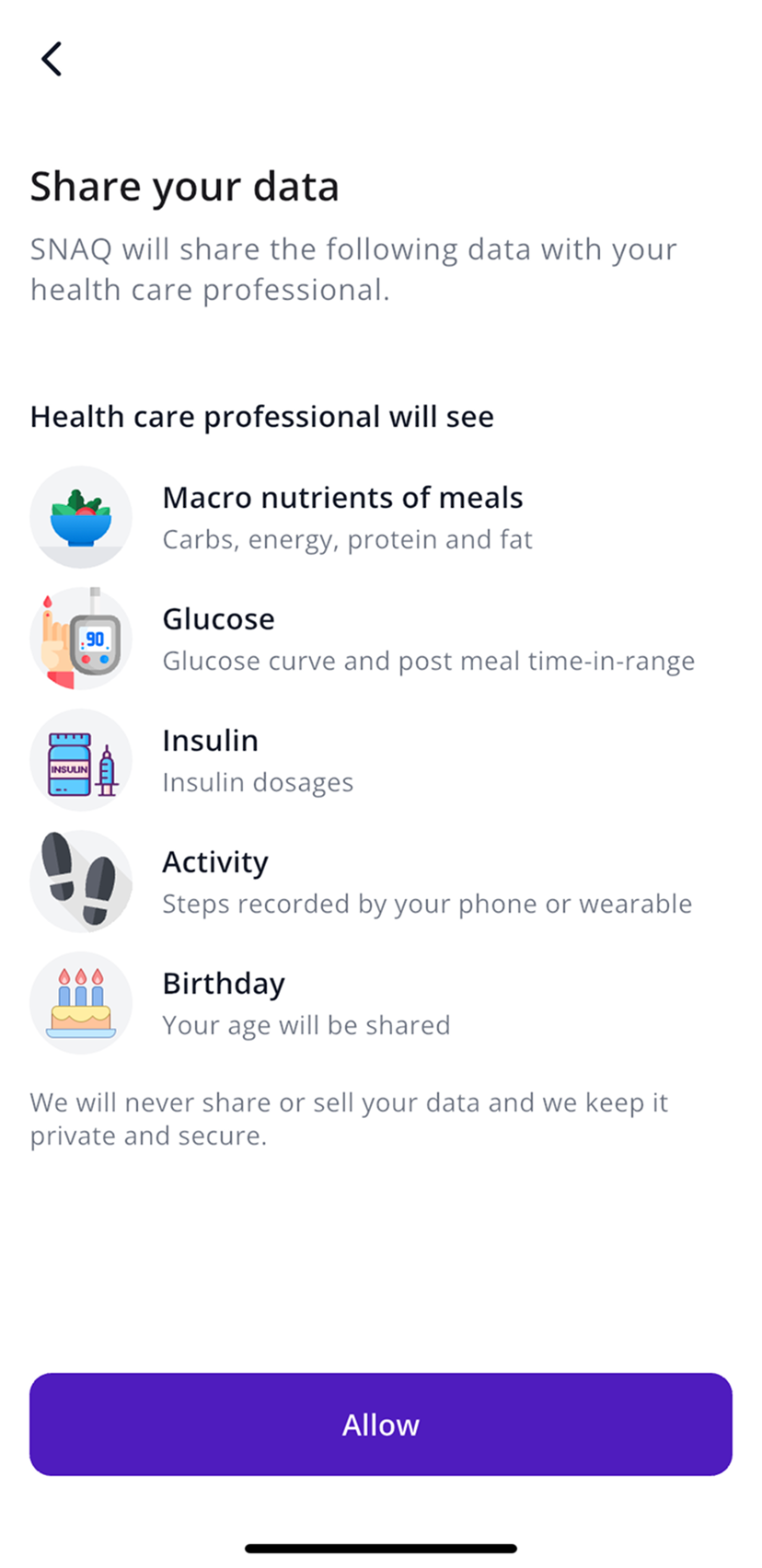
- SNAQ shows exactly what your care team will see: the nutrients in your meals, your glucose curves and post-meal time in range, insulin, steps, and your age. Tap Allow.
- Enter their email address and tap Invite.
If your clinic invites you
Sometimes the invite comes from the clinic. You’ll get an email, plus a notification in SNAQ if you already have the app. Accept it and agree to share, and your clinic can see your data from then on.
Stop sharing
Go to More, then Health Data, then Care, and tap the trash icon next to the person or clinic. Your clinic can end the connection from their side too, and either of you can send a new invite later.
For healthcare professionals
If you’re a clinician, SNAQ Care for healthcare professionals explains how the portal works.
Steps last checked against the app in September 2026.
Still stuck?
Email us at support@snaq.io and tell us what you've tried so far. We usually reply within one business day.