
SNAQ gets your FreeStyle Libre readings through LibreLinkUp, the same feature you’d use to let a family member follow your numbers. You add SNAQ as one of those connections, so your Libre password never goes into SNAQ.
Step 1: get your connection email from SNAQ
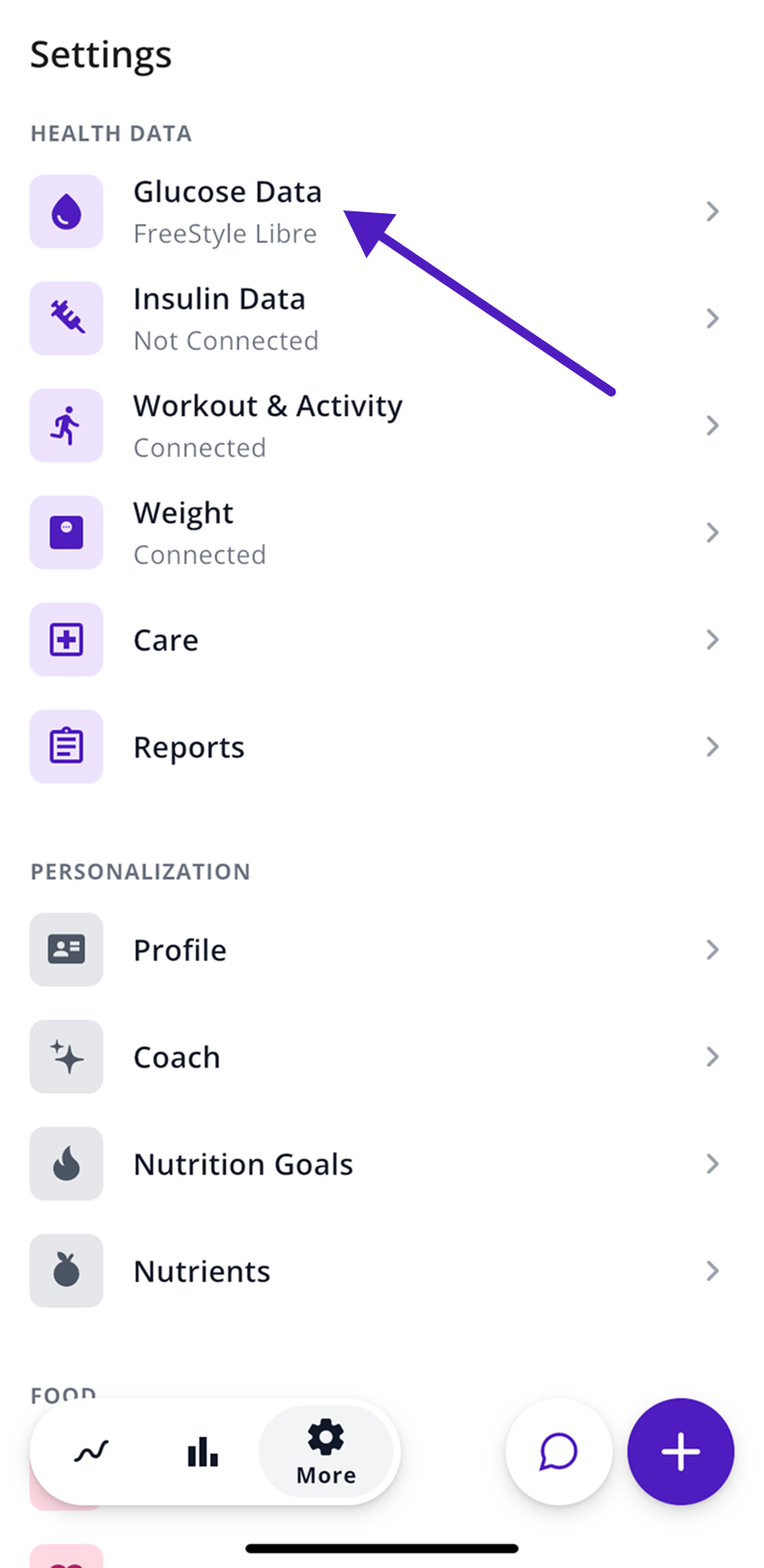
- In SNAQ, open the More tab (the gear icon).
- Under Health Data, tap Glucose Data.
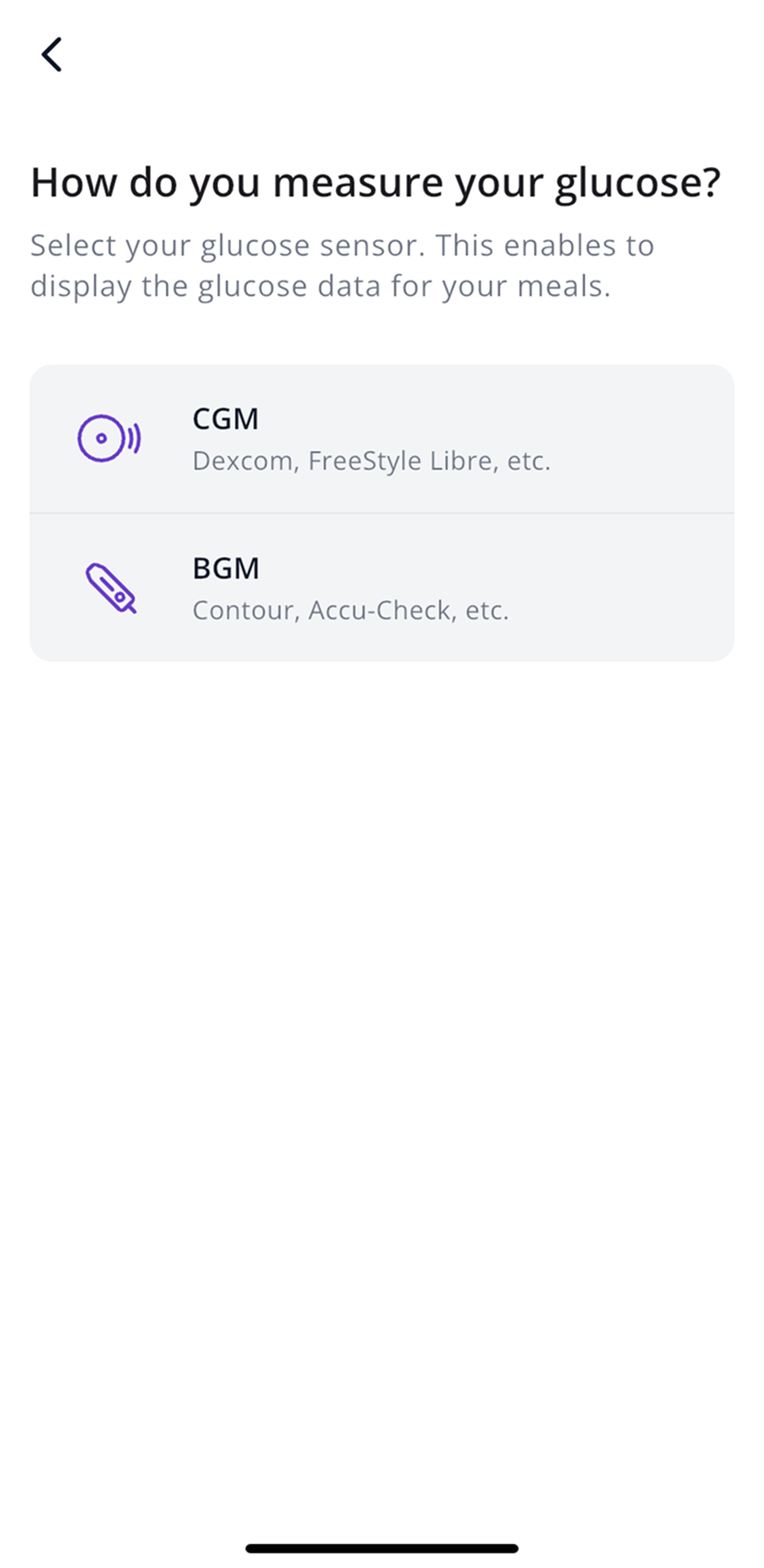
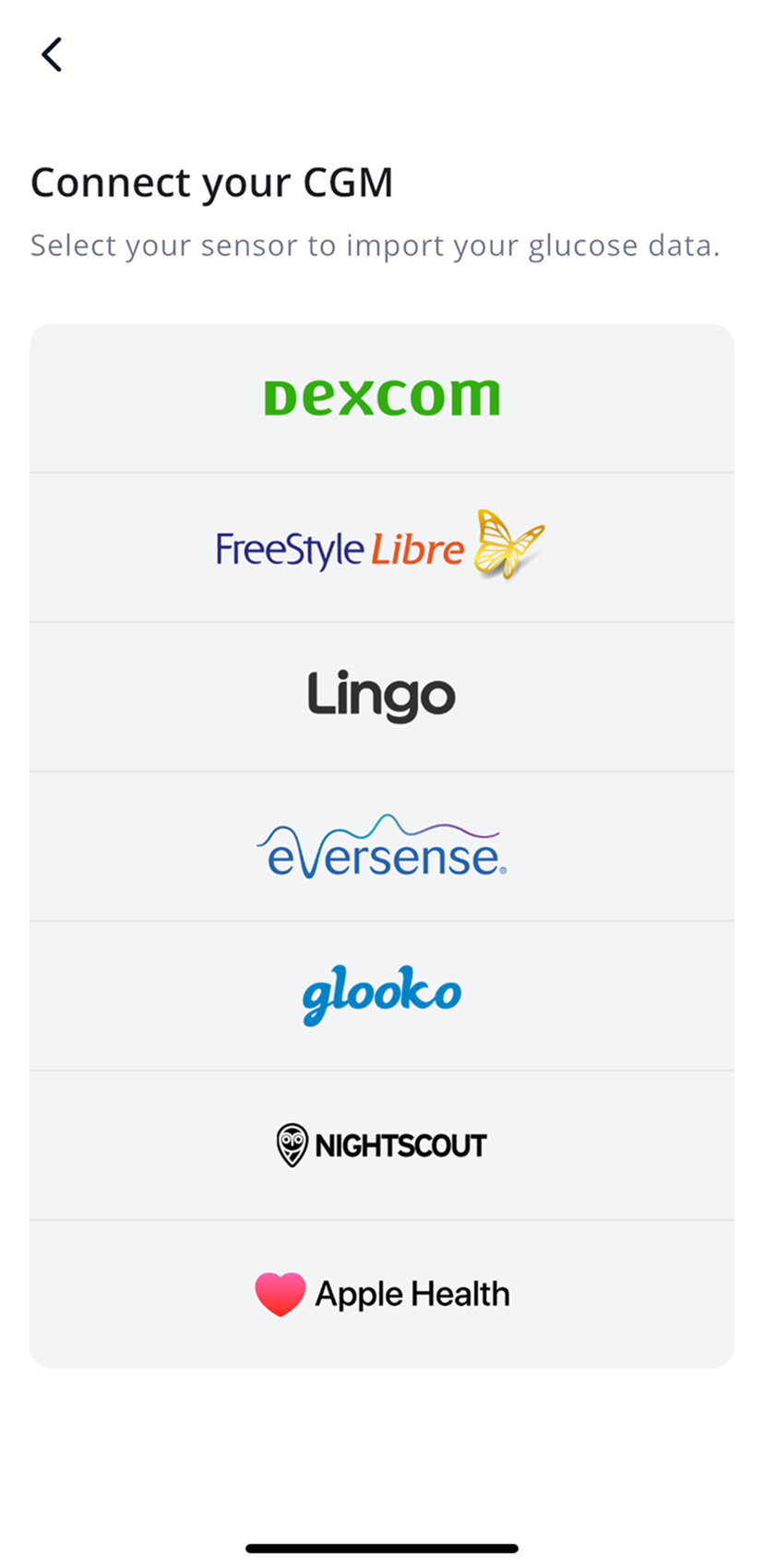
- Tap CGM, then FreeStyle Libre.
- Choose your sensor model and your country.
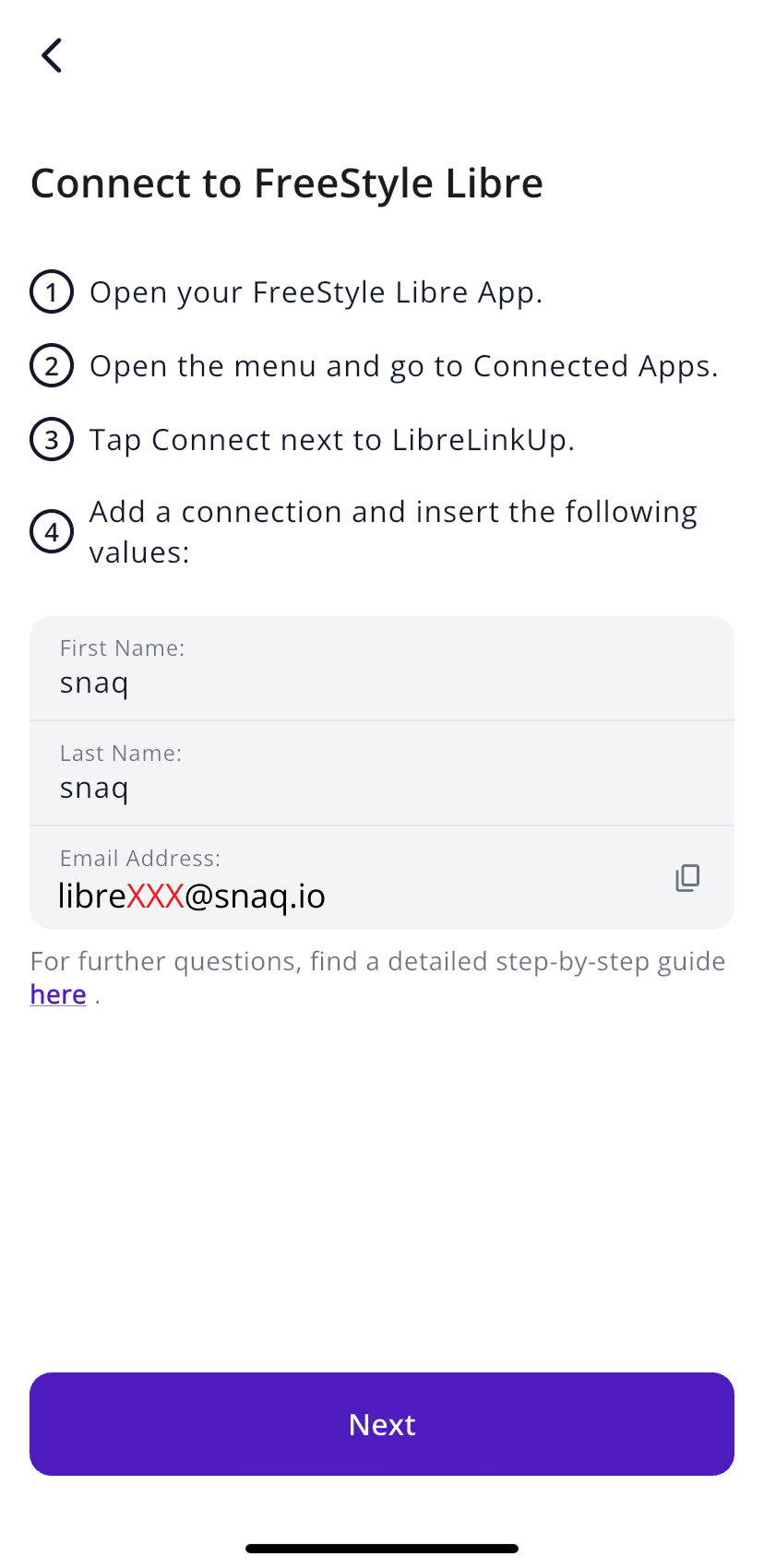
- SNAQ shows what to enter in the Libre app, including an email address made just for your account. Tap the copy icon next to it.
Step 2: add SNAQ in the FreeStyle Libre app
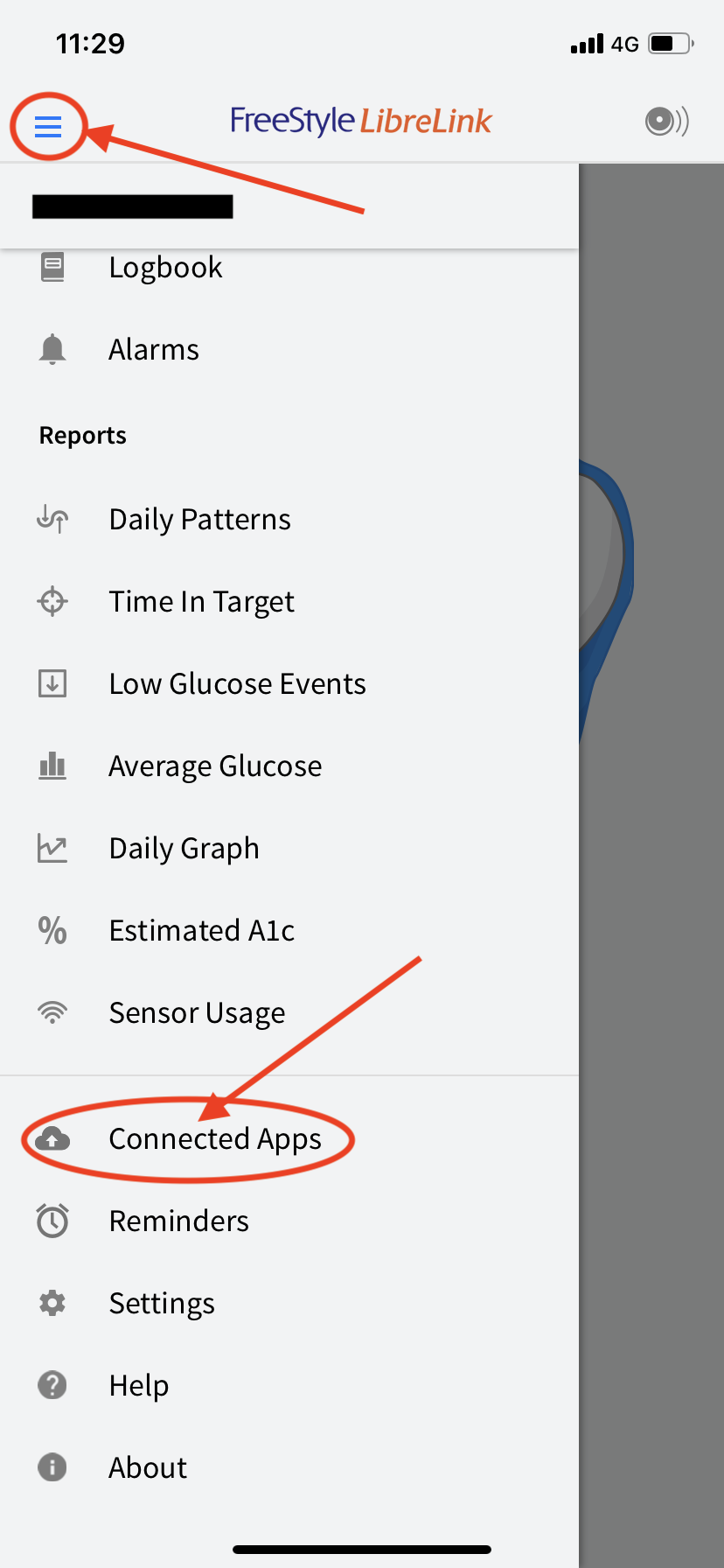
- Open the FreeStyle Libre app and tap the menu icon at the top left.
- Tap Connected Apps.
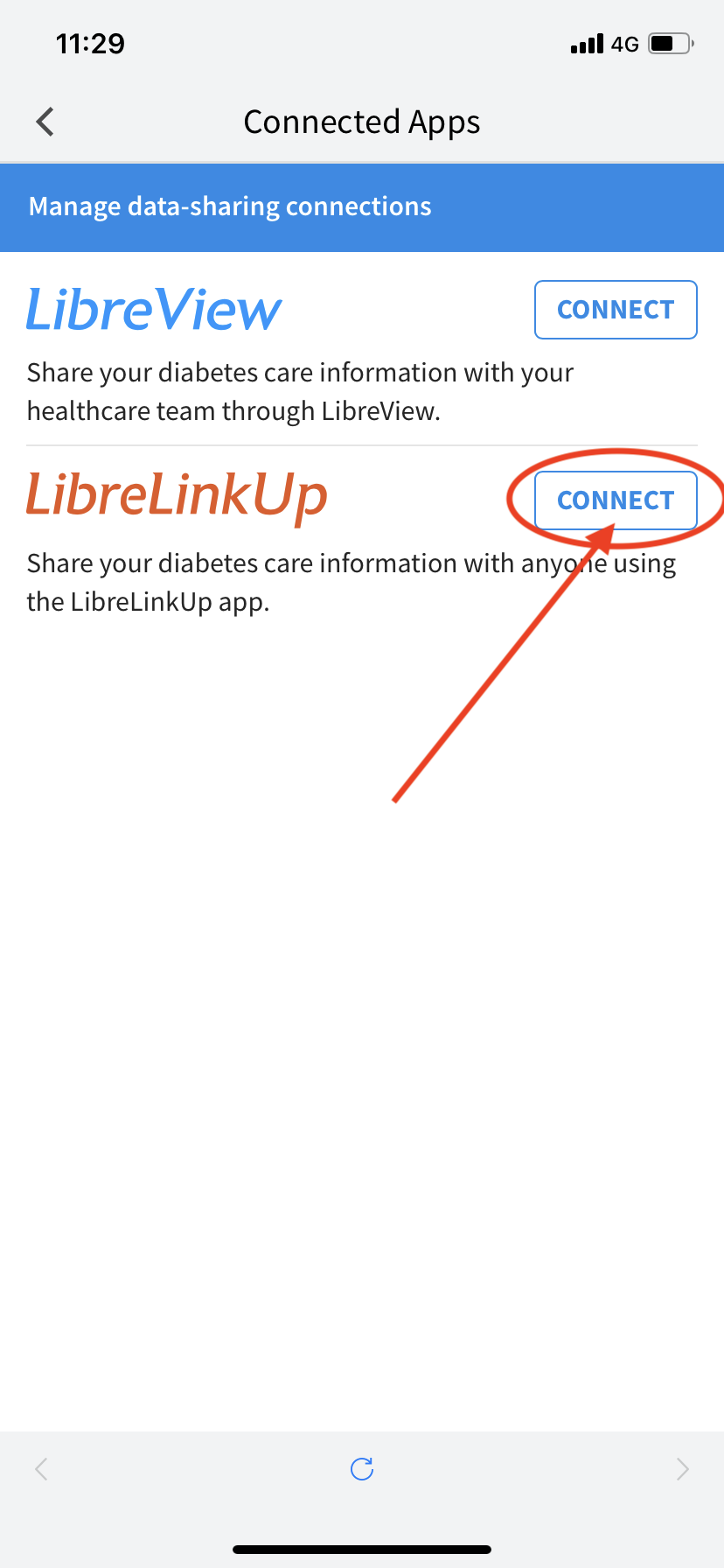
- Tap Connect next to LibreLinkUp.
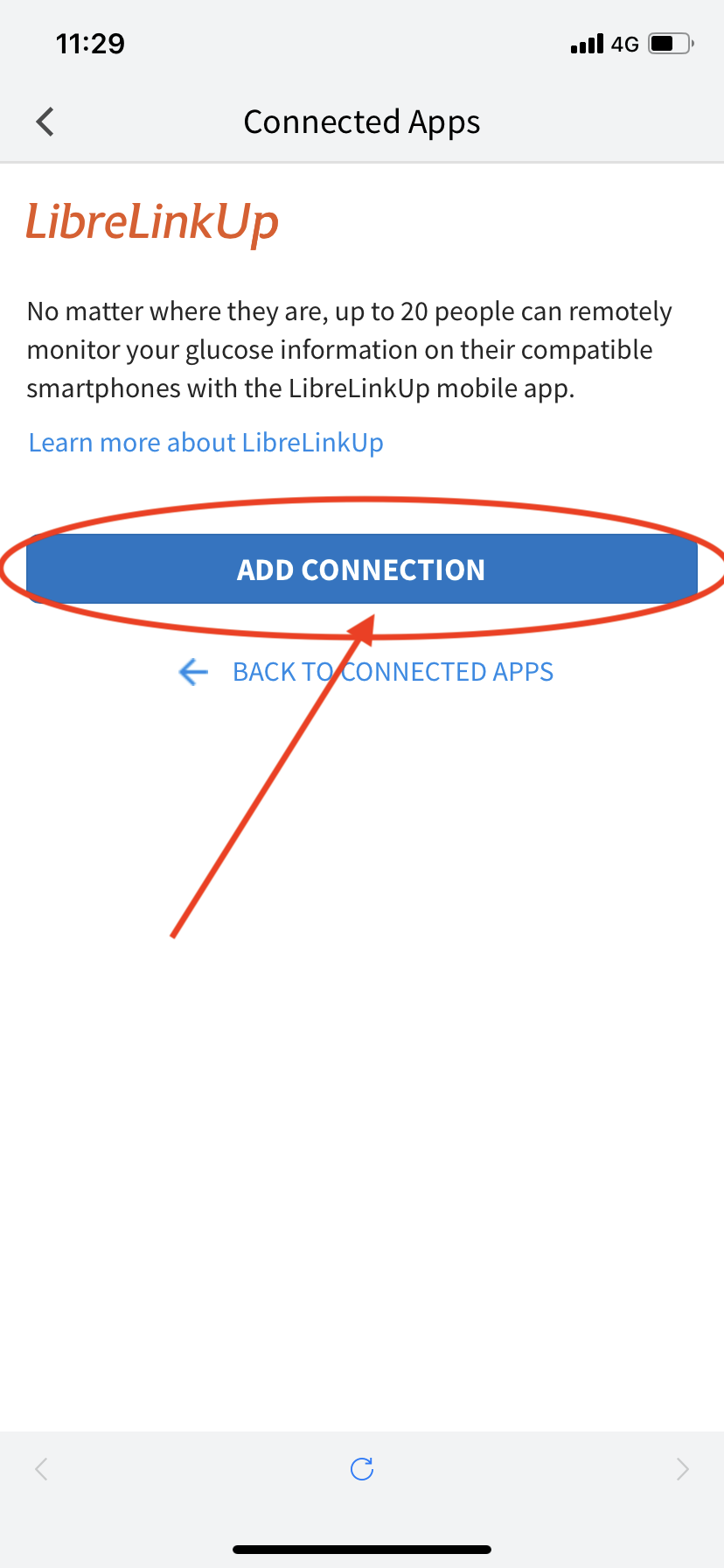
- Tap Add Connection.
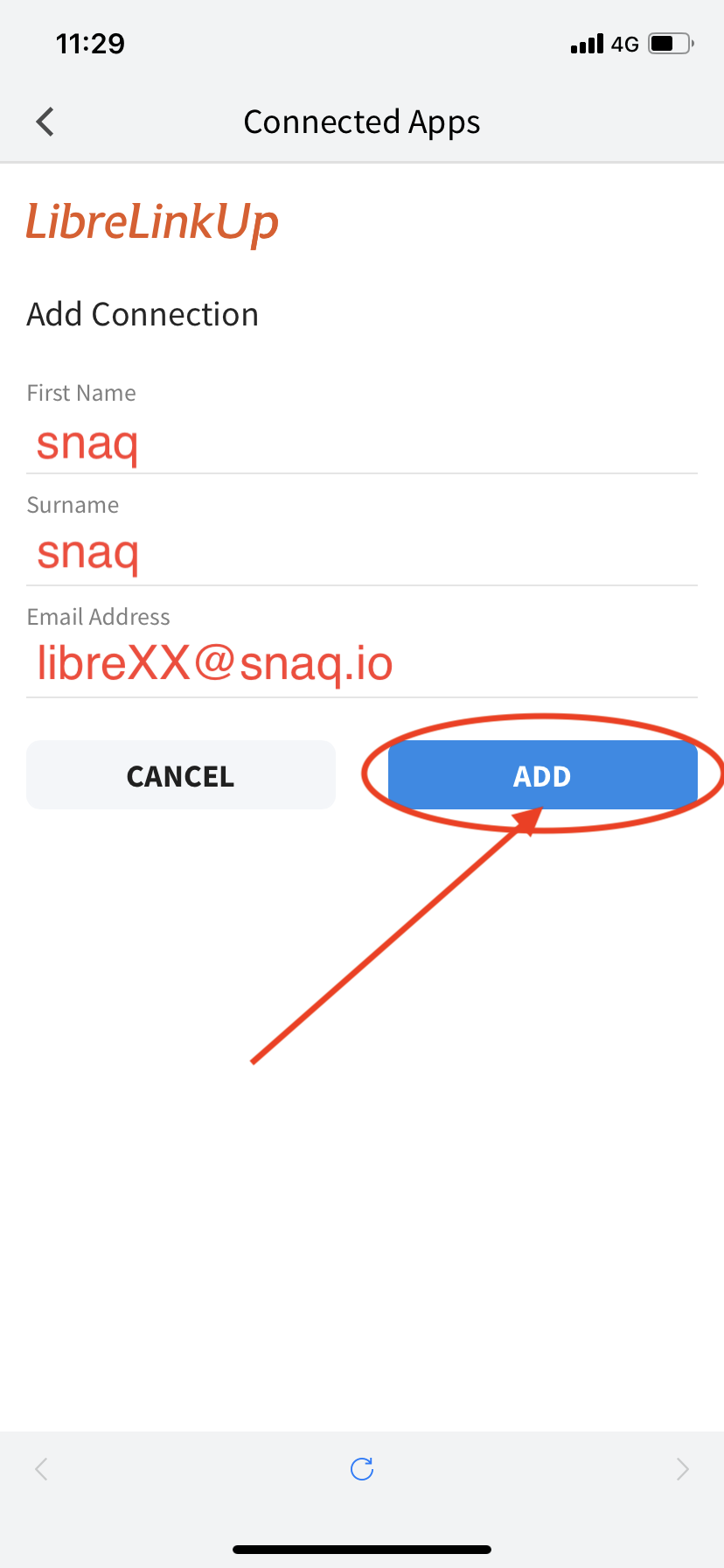
- Enter:
- First name: snaq
- Surname (last name): snaq
- Email address: the one you copied from SNAQ
- Tap Add.
The connection usually goes through in about 5 minutes.
Keep it working
Leave the connection in place. If you remove SNAQ from Connected Apps in the Libre app, your readings stop coming in.
When you start a new sensor, you don’t need to do anything. SNAQ picks it up.
Avoid running the FreeStyle Libre setup in SNAQ a second time. It creates a new email address, and you’d have to add that one in the Libre app as well.
Libre readings can take a few hours to reach SNAQ, so a gap after a meal you just ate doesn’t mean something is broken.
Steps last checked against the app in September 2026.
Still stuck?
Email us at support@snaq.io and tell us what you've tried so far. We usually reply within one business day.