
Connecting your CGM or meter is what puts a glucose curve under each meal you log. You only set it up once. After that, readings come in on their own.
Where to connect
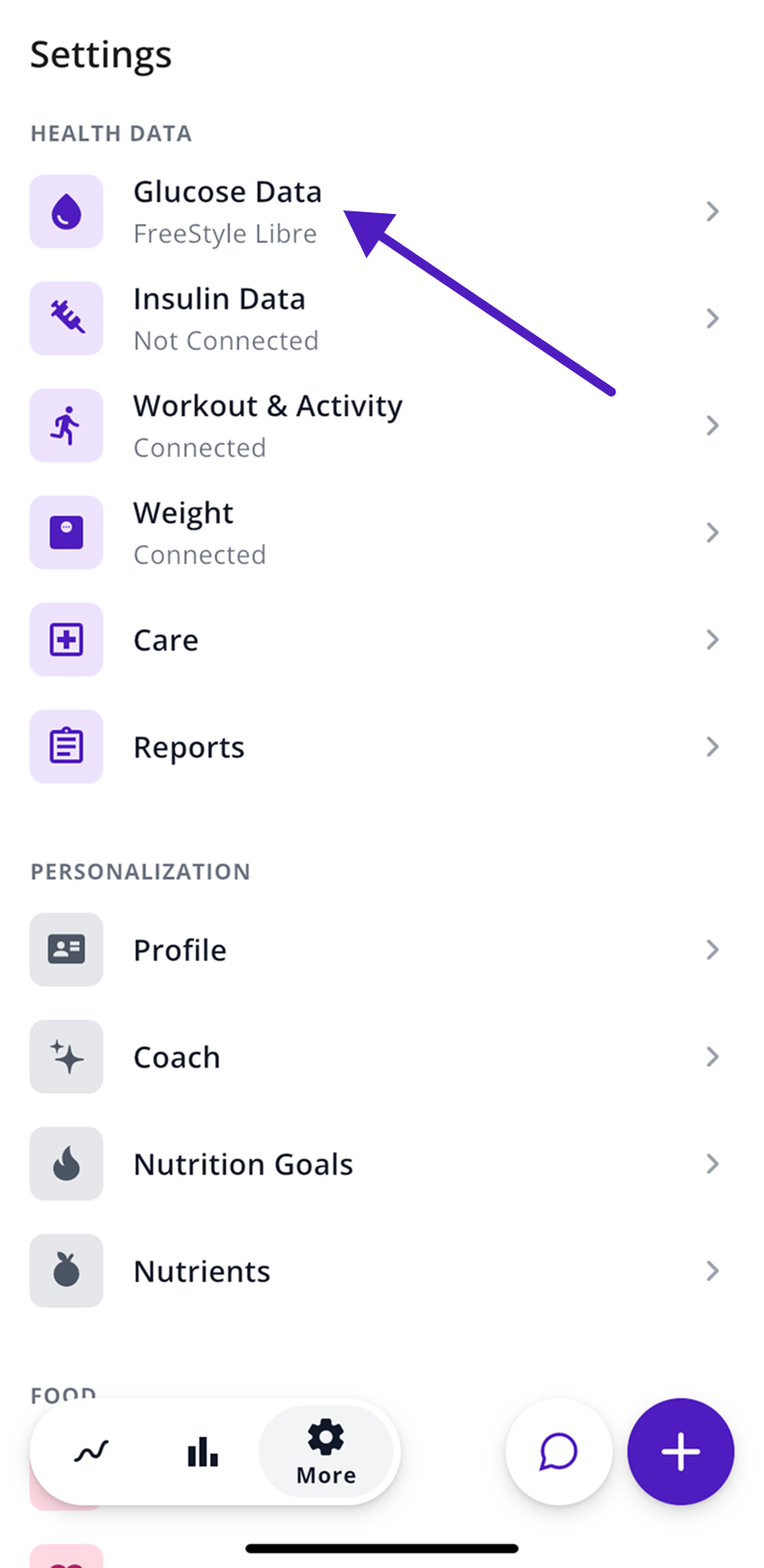
- Open the More tab (the gear icon).
- Under Health Data, tap Glucose Data.
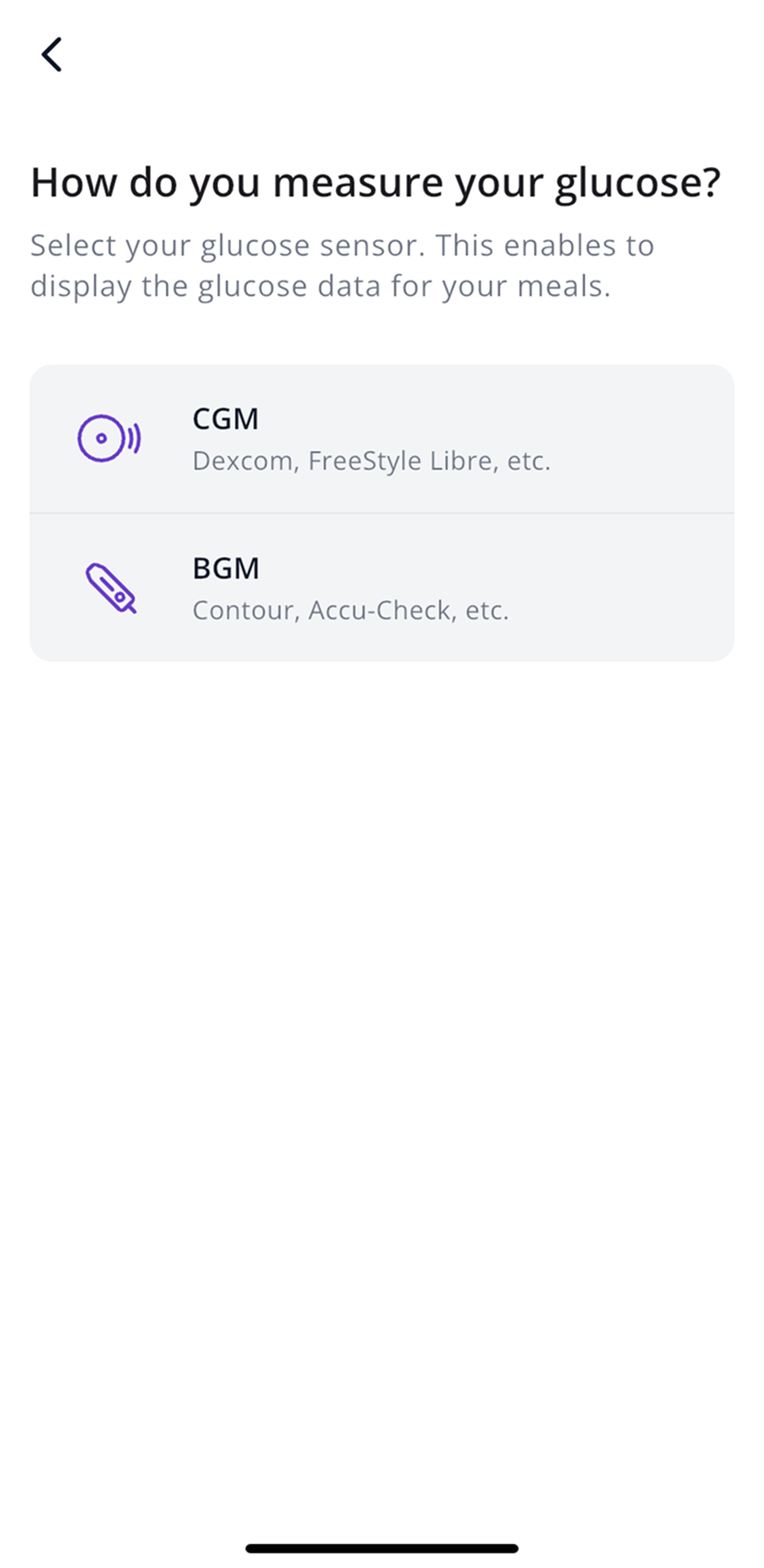
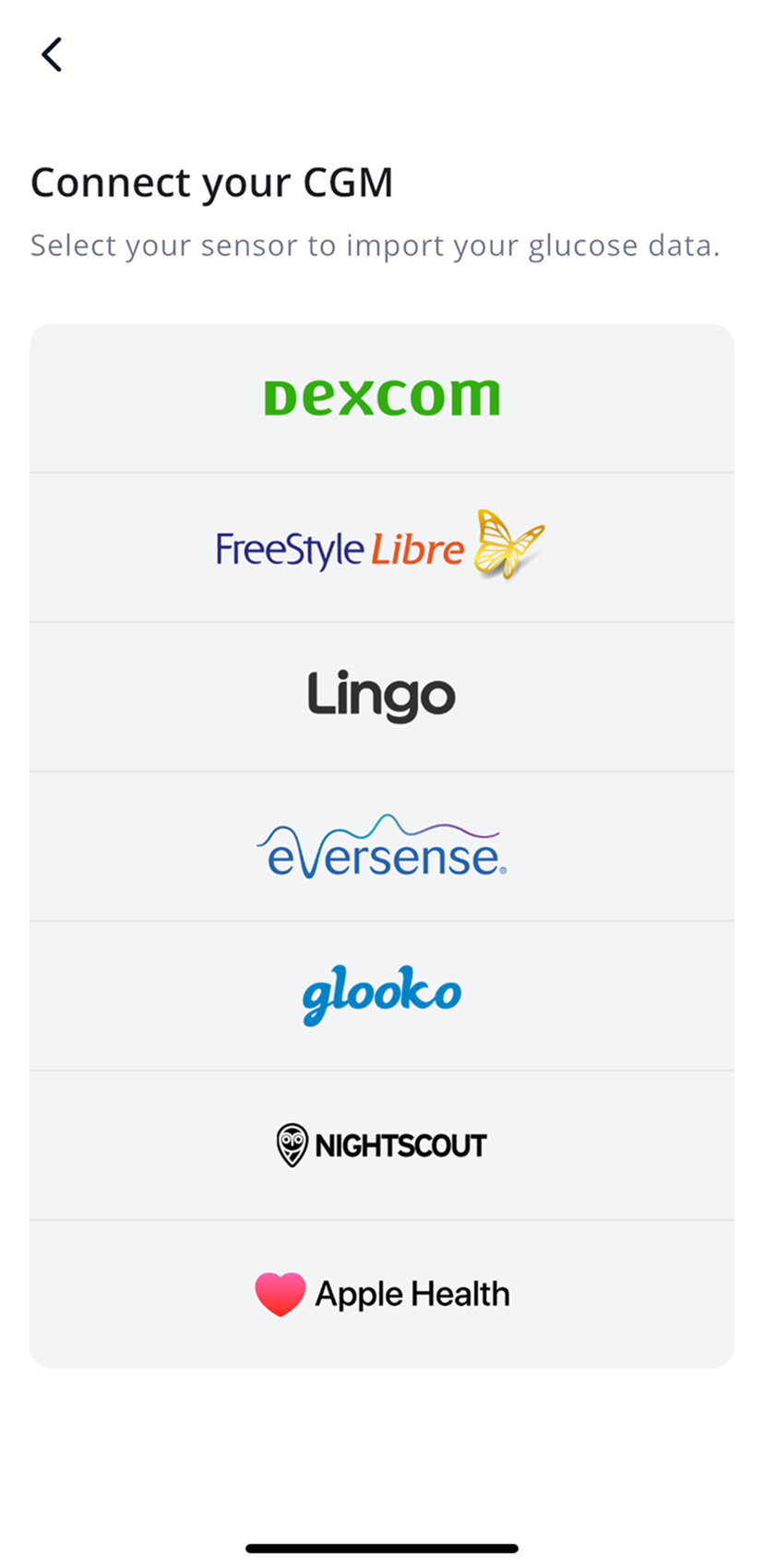
- Choose CGM (continuous glucose monitor) or BGM (fingerstick meter), then your brand.
Under Glucose Data you’ll see what’s connected right now: a device name, Not Connected or No Permission.
Supported devices
| Device | How it connects | Notes |
|---|---|---|
| Dexcom G6, G7, ONE+ | Your Dexcom login | US, Austria, Germany and Switzerland only. Readings can be up to 3 hours behind. |
| Dexcom Stelo, or Dexcom in other countries | Apple Health or Health Connect | The Dexcom app sends readings to your phone’s health app, and SNAQ picks them up there. |
| FreeStyle Libre | LibreLinkUp, in the Libre app | Readings can take a few hours to arrive. |
| Nightscout | Your site URL and API secret | Readings can take up to 24 hours to arrive. |
| Glooko | Your Glooko login | For devices that already sync to Glooko. |
| Contour Next, Next One | Bluetooth | You pair the meter inside SNAQ. |
| Accu-Chek | The mySugr app, through Apple Health | iPhone only. |
| OneTouch | Apple Health | |
| Other apps that save glucose to Apple Health | Apple Health (iPhone) | |
| Other apps that save glucose to Health Connect | Health Connect (Android) |
SNAQ doesn’t work with Google Fit. On Android, use Health Connect.
Insulin data US only
US accounts can import insulin doses too. Go to More, then Health Data, then Insulin Data, and choose where they should come from, such as Dexcom, Glooko, Nightscout or Apple Health. You can also add a dose yourself with +, then Insulin.
Insulin data in SNAQ is only for looking back at what happened. Don’t use it to make treatment decisions. SNAQ doesn’t calculate or recommend insulin doses.
Activity and weight
Steps, workouts, heart rate and weight come from Apple Health or Health Connect. Import activity and weight walks you through it.
Glucose data is missing or late
- Check More, then Health Data, then Glucose Data. If it says Not Connected or No Permission, set up the connection again.
- Give it some time. Libre can run a few hours behind, Dexcom up to 3 hours, and Nightscout up to a day.
- If your readings come through Apple Health or Health Connect, make sure your CGM or meter app still has permission to save glucose there. The Apple Health and Health Connect guides show where to look.
Still nothing after a day? Email us at support@snaq.io.
Steps last checked against the app in September 2026.
Still stuck?
Email us at support@snaq.io and tell us what you've tried so far. We usually reply within one business day.